> ## Documentation Index
> Fetch the complete documentation index at: https://help.lunacal.ai/llms.txt
> Use this file to discover all available pages before exploring further.
# Disable Cancellation / Rescheduling
> Learn how to prevent bookers from cancelling or rescheduling their meetings.
What “Disable Cancellation / Rescheduling” Means
* By default, clients may be allowed to cancel or reschedule their booked events. With these settings:
“**Disable Cancelling**” — prevents clients from canceling once a booking is confirmed.
“**Disable Rescheduling**” — prevents clients from changing the time/date of a confirmed booking.
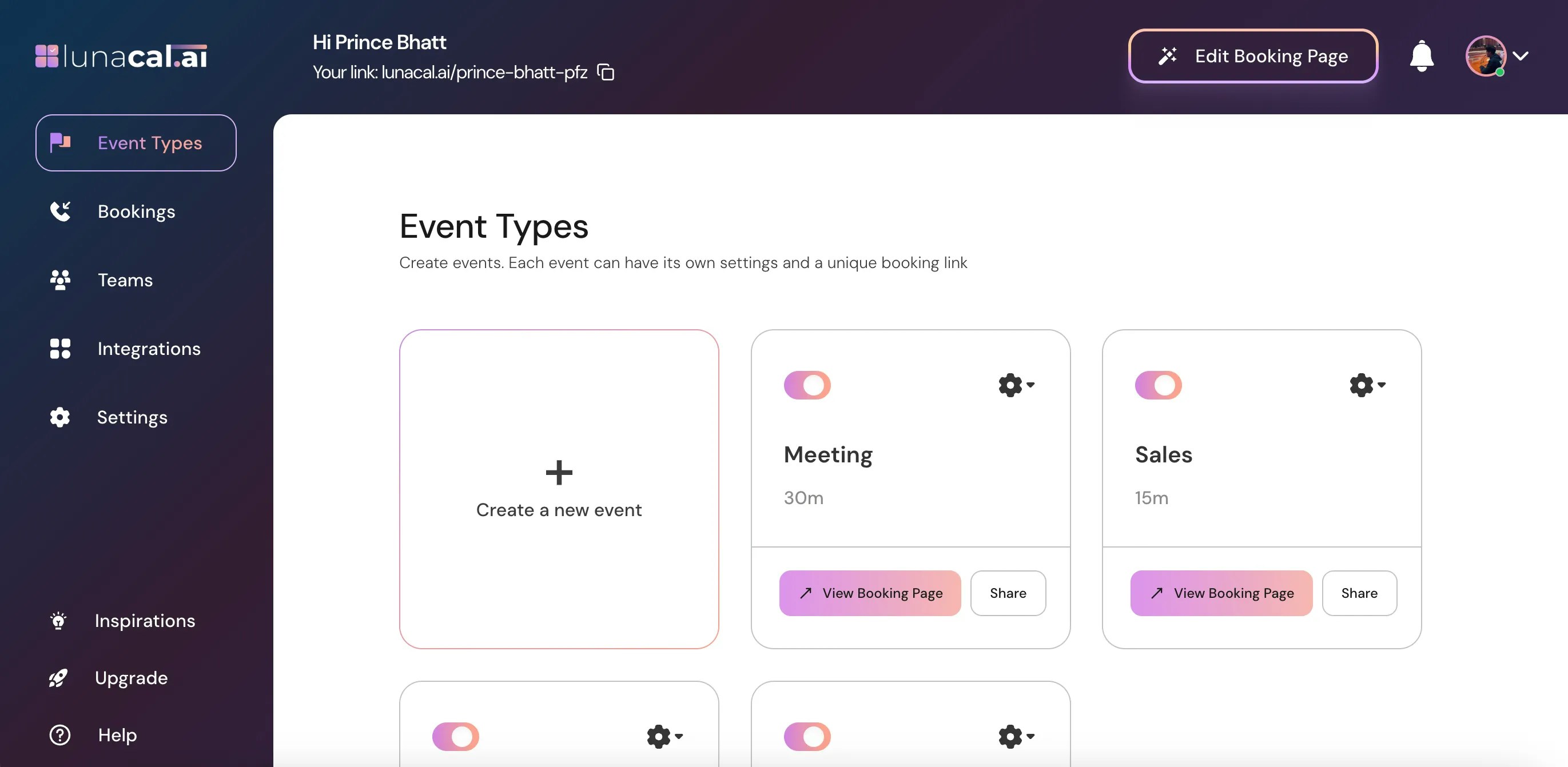
## Step 1
Go to [Event Types](https://app.lunacal.ai/event-types).
 ***
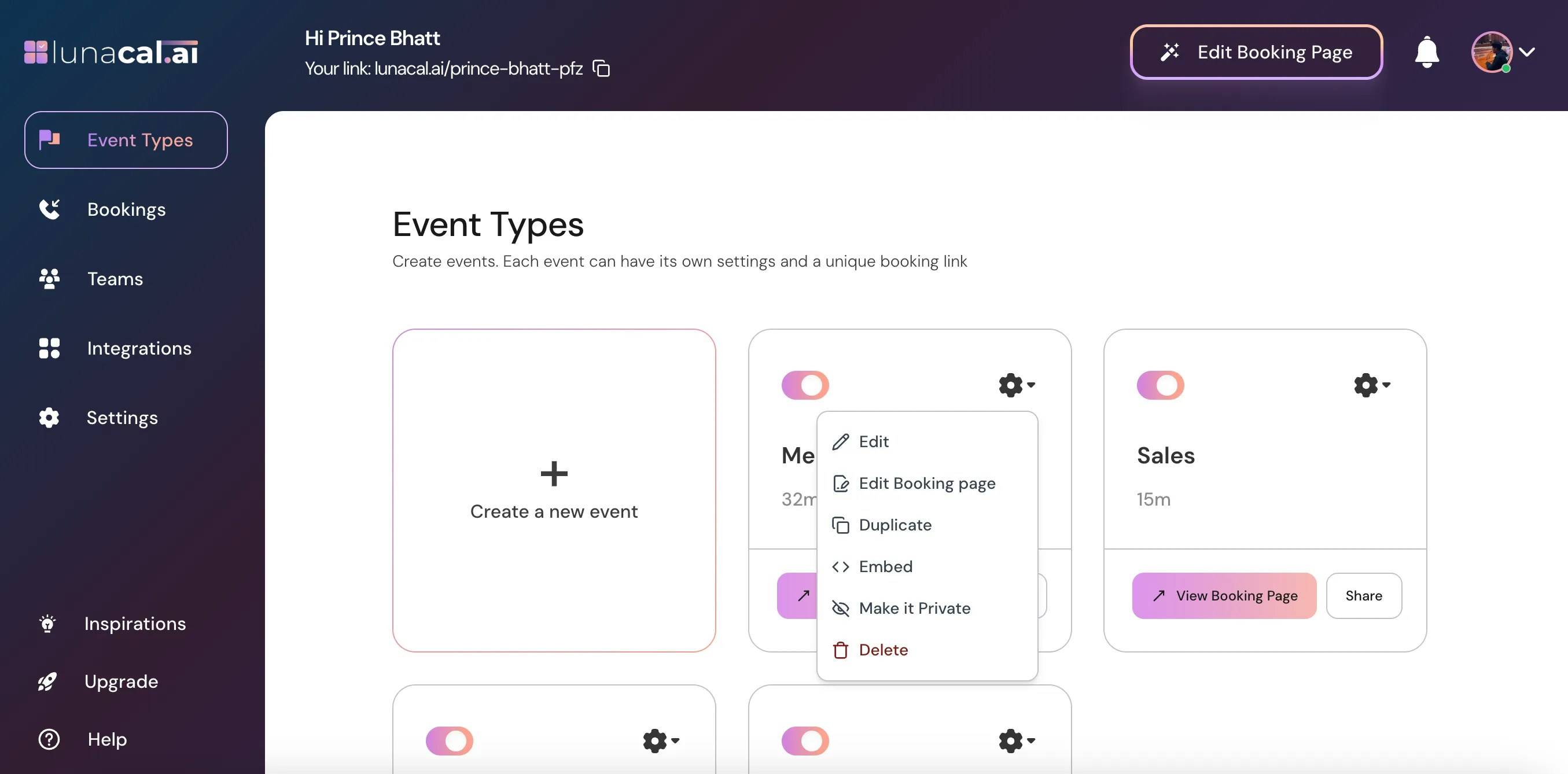
## Step 2
Select the event for which you want to disable **cancellation** or **rescheduling** and click on the Settings icon on that event card.
***
## Step 2
Select the event for which you want to disable **cancellation** or **rescheduling** and click on the Settings icon on that event card.
 ***
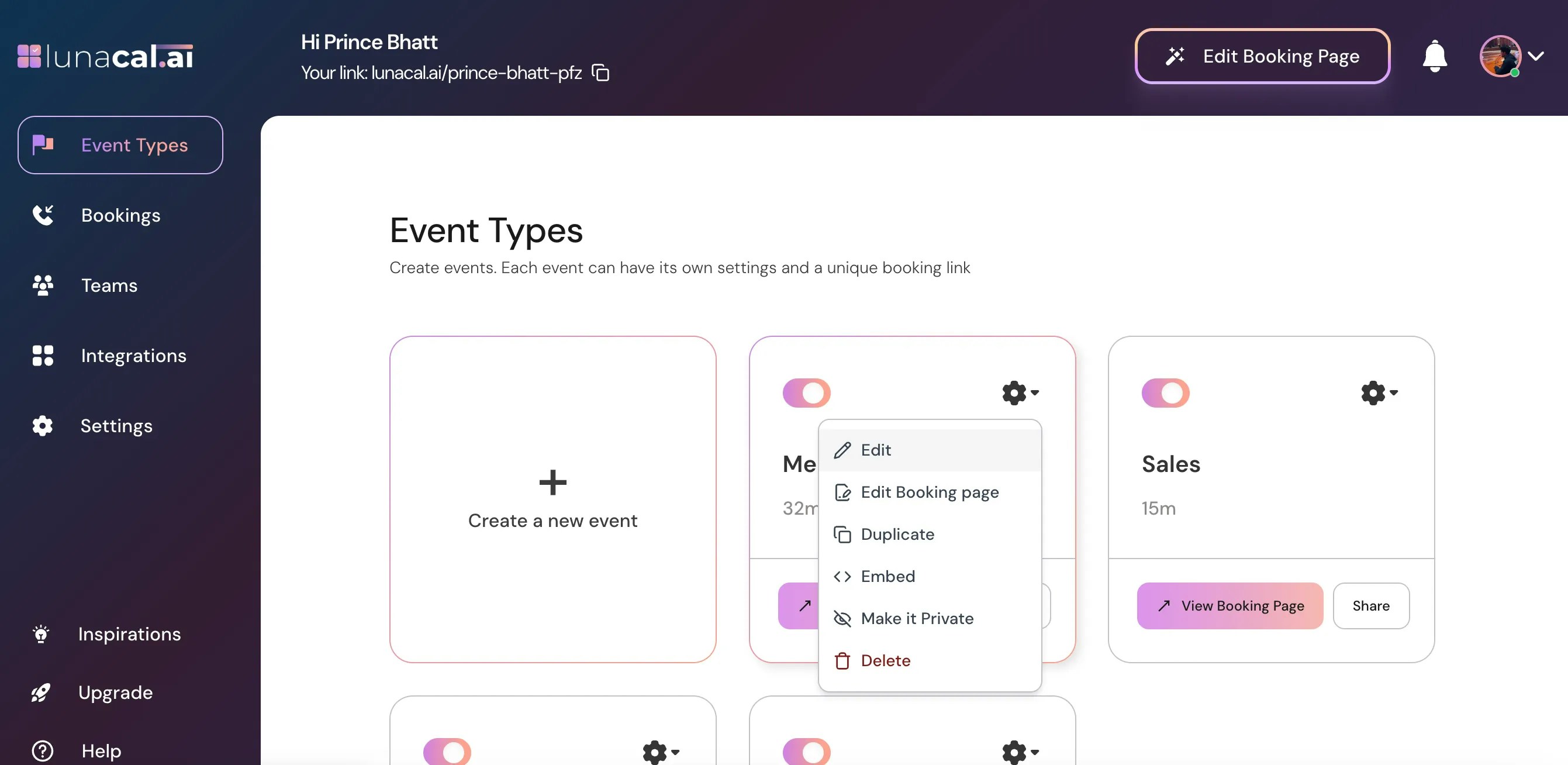
## Step 3
Choose **Edit** from the dropdown.
***
## Step 3
Choose **Edit** from the dropdown.
 ***
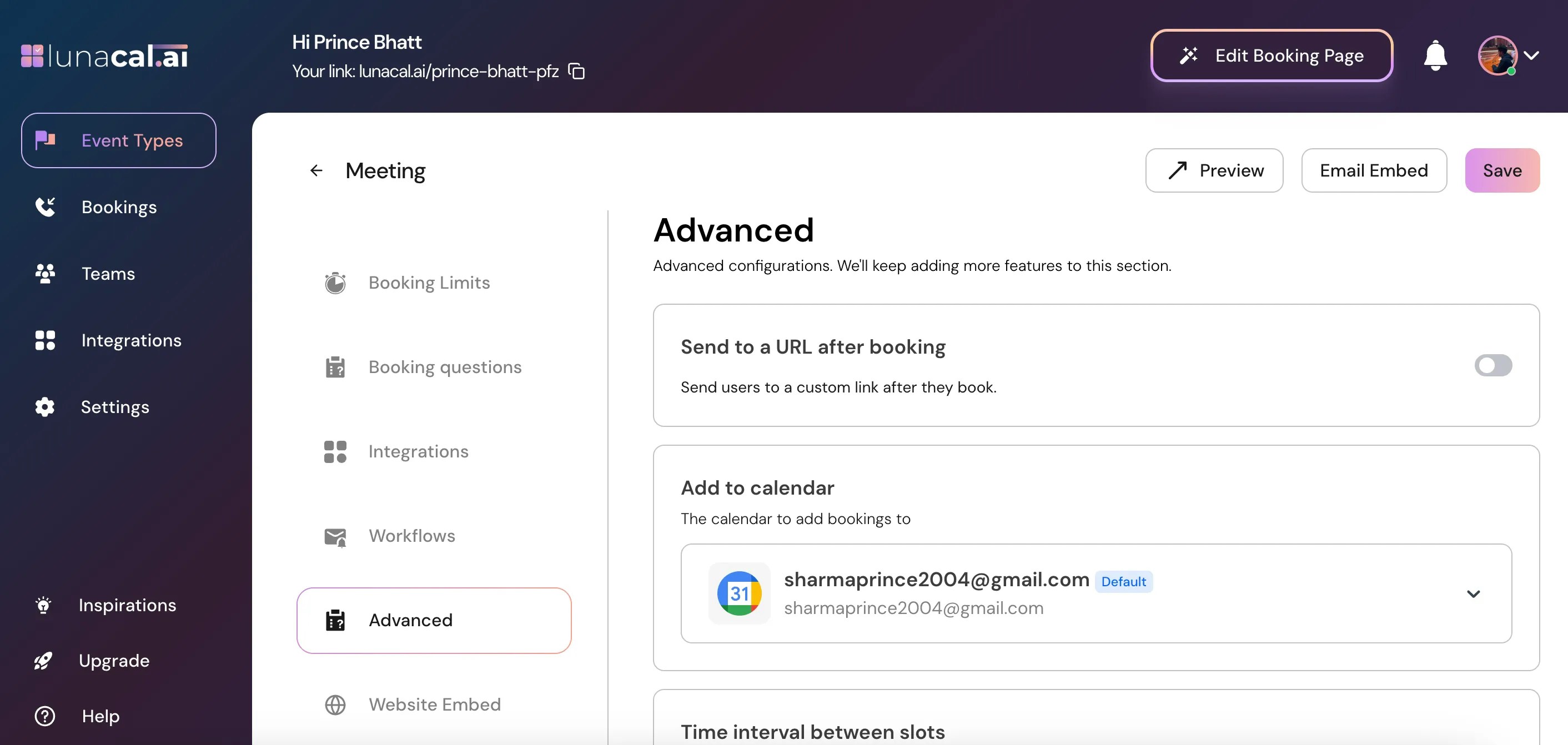
## Step 4
In the "**Event Types**" section, scroll down to find "**Advanced.**"
***
## Step 4
In the "**Event Types**" section, scroll down to find "**Advanced.**"
 ***
## Step 5
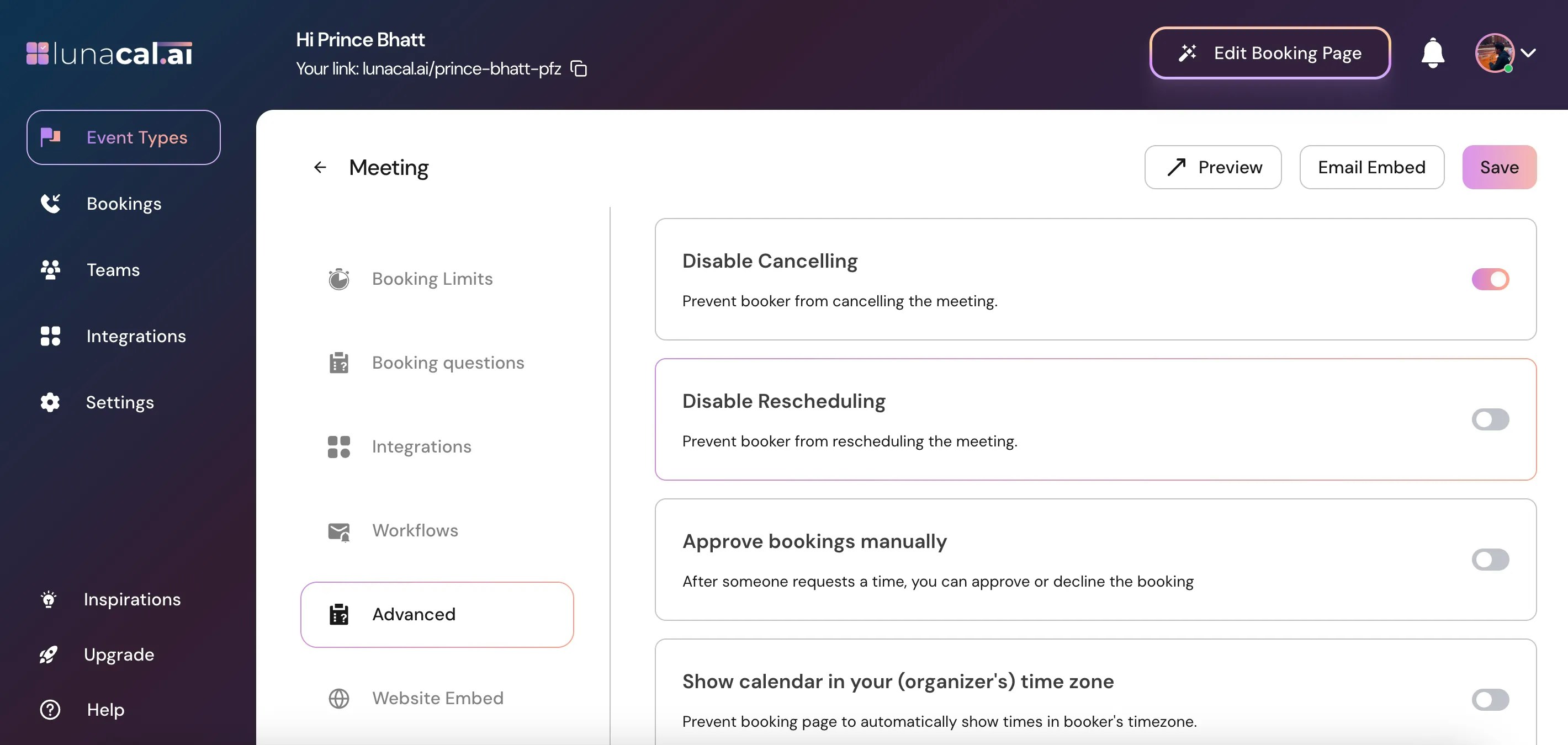
"**Disable Cancelling**" → Toggle this **ON** to prevent the booker from cancelling the meeting.
***
## Step 5
"**Disable Cancelling**" → Toggle this **ON** to prevent the booker from cancelling the meeting.
 ***
## Step 6
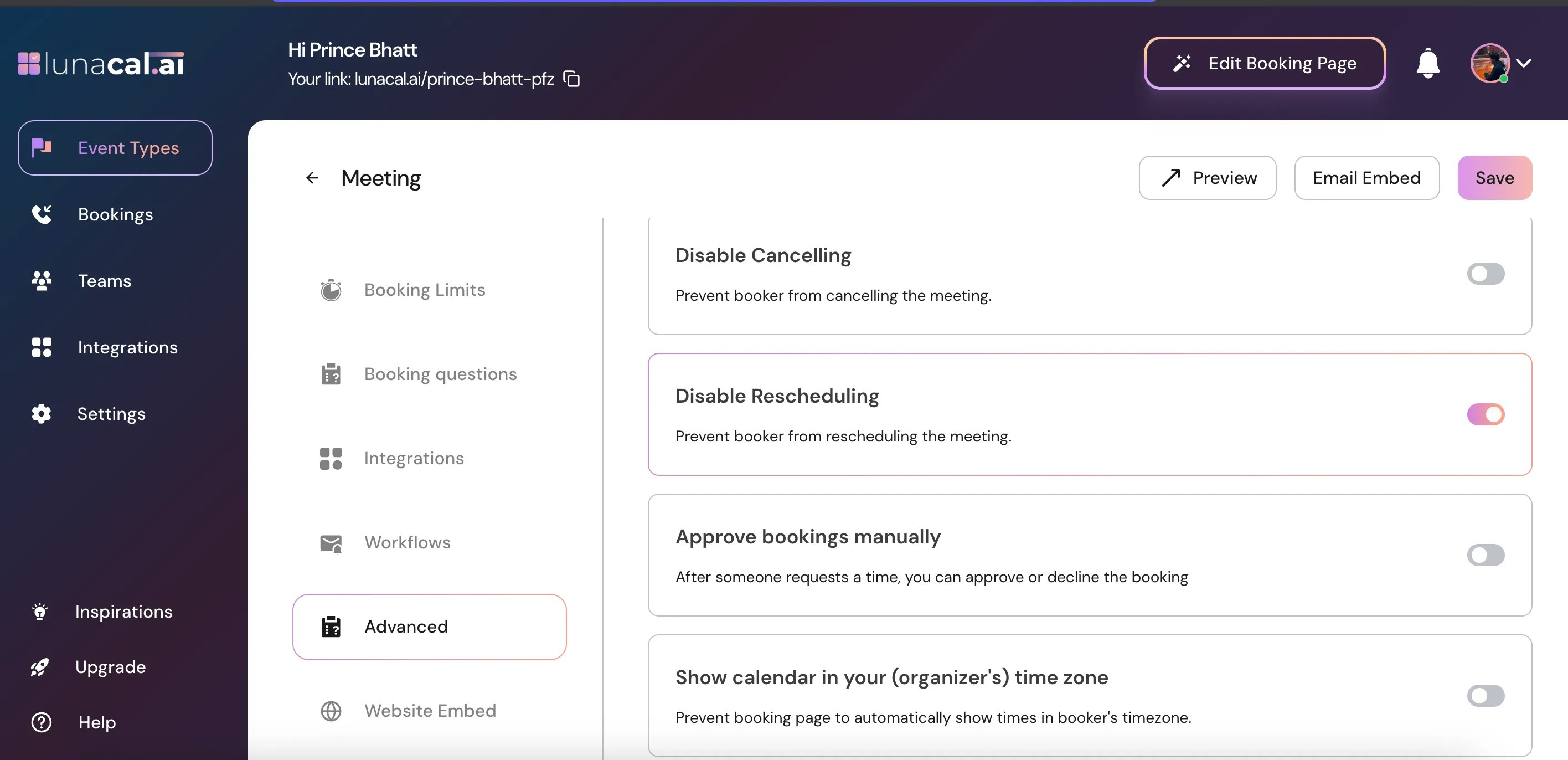
"**Disable Rescheduling**" → Toggle this **ON** to prevent the booker from rescheduling the meeting.
***
## Step 6
"**Disable Rescheduling**" → Toggle this **ON** to prevent the booker from rescheduling the meeting.
 ***
## Step 7
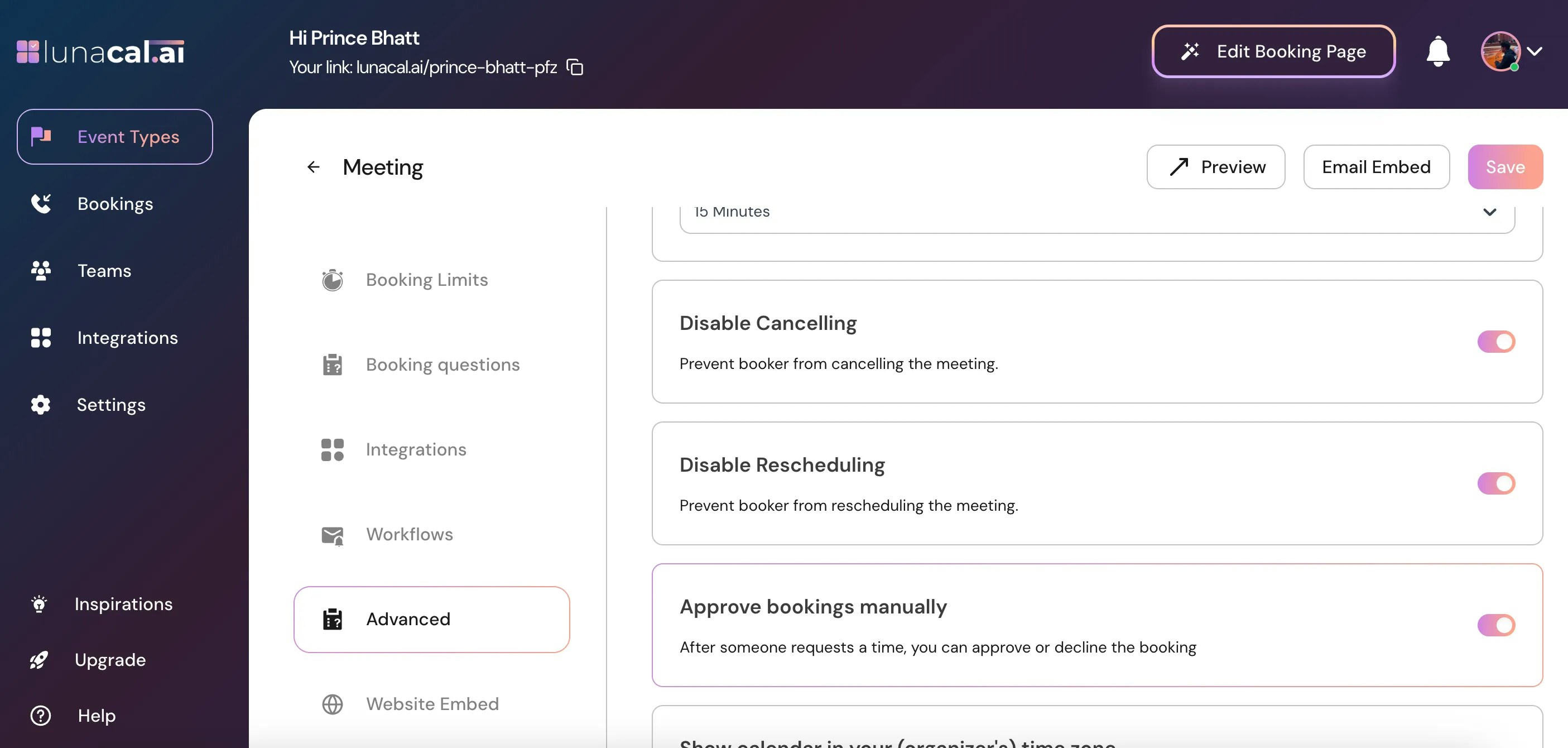
Click "**Save**" to apply the changes.
***
## Step 7
Click "**Save**" to apply the changes.
 🔄 **What Happens to Existing Bookings & How It Affects Clients**
* For new bookings after you enable the toggle: Clients will not see options to cancel or reschedule.
* For existing bookings (before you enabled the toggle): They remain unaffected and attendee can reschedule/cancel bookings.
* Clients trying to cancel/reschedule: They will not have the option on their booking page (or the links/buttons will be disabled).
* If a booking needs to be rescheduled/cancelled by you (**the host**), you can still do it via your [bookings](https://app.lunacal.ai/bookings/upcoming).
🔄 **What Happens to Existing Bookings & How It Affects Clients**
* For new bookings after you enable the toggle: Clients will not see options to cancel or reschedule.
* For existing bookings (before you enabled the toggle): They remain unaffected and attendee can reschedule/cancel bookings.
* Clients trying to cancel/reschedule: They will not have the option on their booking page (or the links/buttons will be disabled).
* If a booking needs to be rescheduled/cancelled by you (**the host**), you can still do it via your [bookings](https://app.lunacal.ai/bookings/upcoming).