> ## Documentation Index
> Fetch the complete documentation index at: https://help.lunacal.ai/llms.txt
> Use this file to discover all available pages before exploring further.
# Round Robin Scheduling
> Learn how to use Round Robin Scheduling to automatically distribute meetings among team members in rotation.
* Round Robin Scheduling automatically assigns each new booking to the next available team member in a rotating order
**When to use Round Robin vs other options (quick guide)**
Use when any qualified team member can take the meeting and you want fair distribution and fast first response.\
**Examples:** Inbound product demos, support callbacks, clinic **general consult** pool, discovery calls.
Use "[Collective Scheduling](https://help.lunacal.ai/collective-schedule)" when the meeting must include multiple hosts (e.g., panel interview, complex demo with SE).
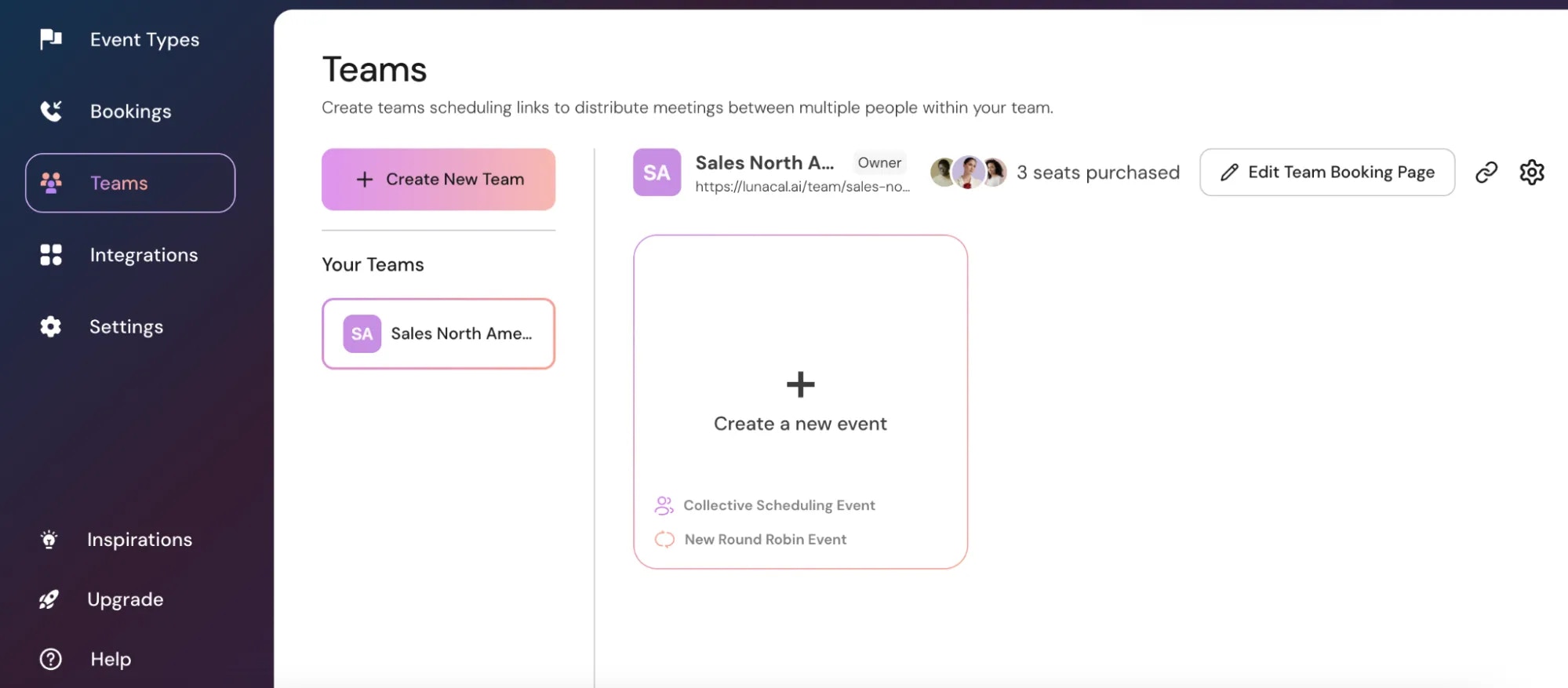
## Step 1
Click on "**Create a new event**".
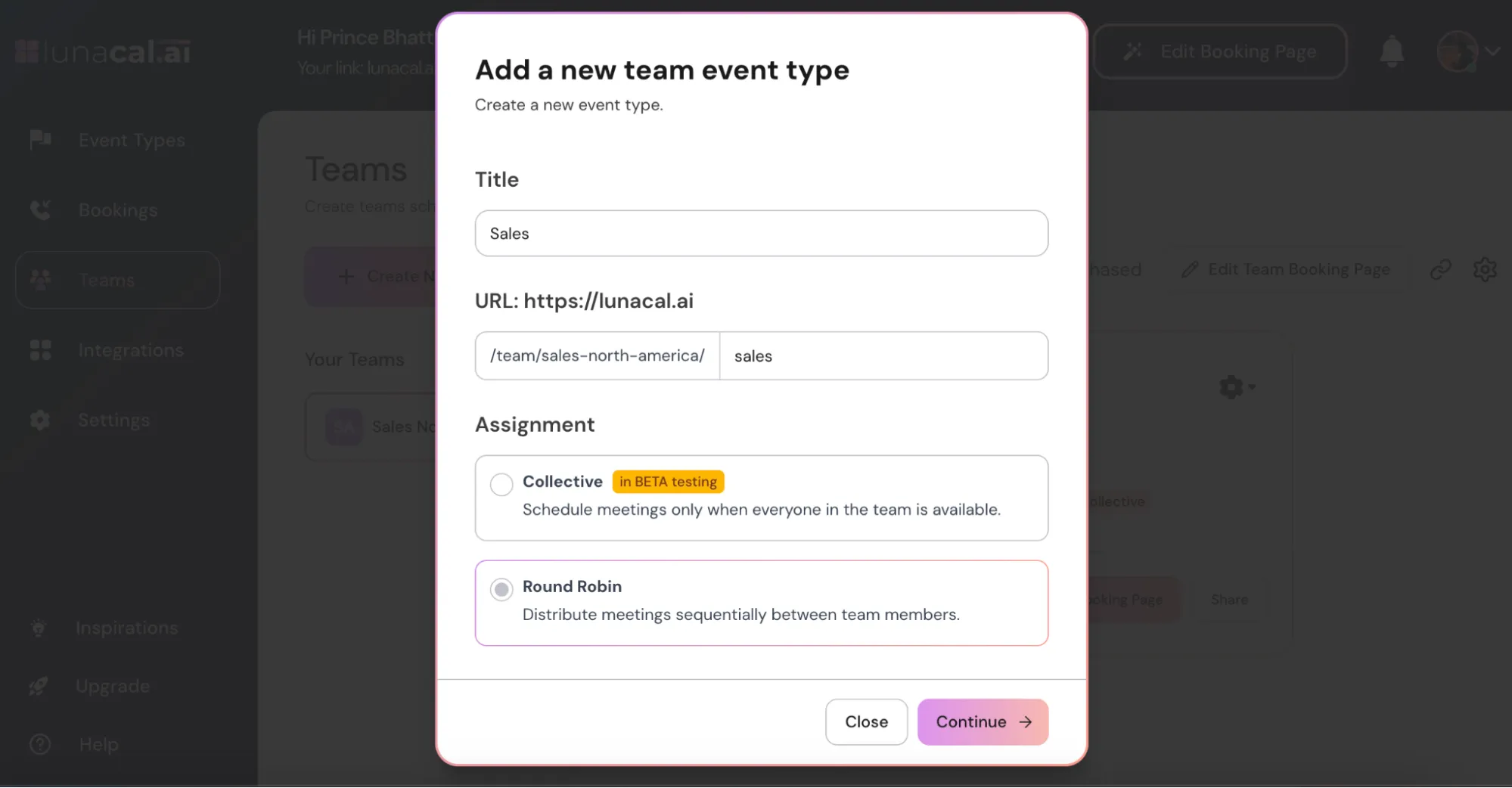
 ## Step 2
Select "**Round Robin**" from the "**Assignment**" options.
## Step 2
Select "**Round Robin**" from the "**Assignment**" options.
 **Example** Sales team with 4 reps: every new demo rotates through **Rep A → Rep B → Rep C → Rep D**, then loops back.
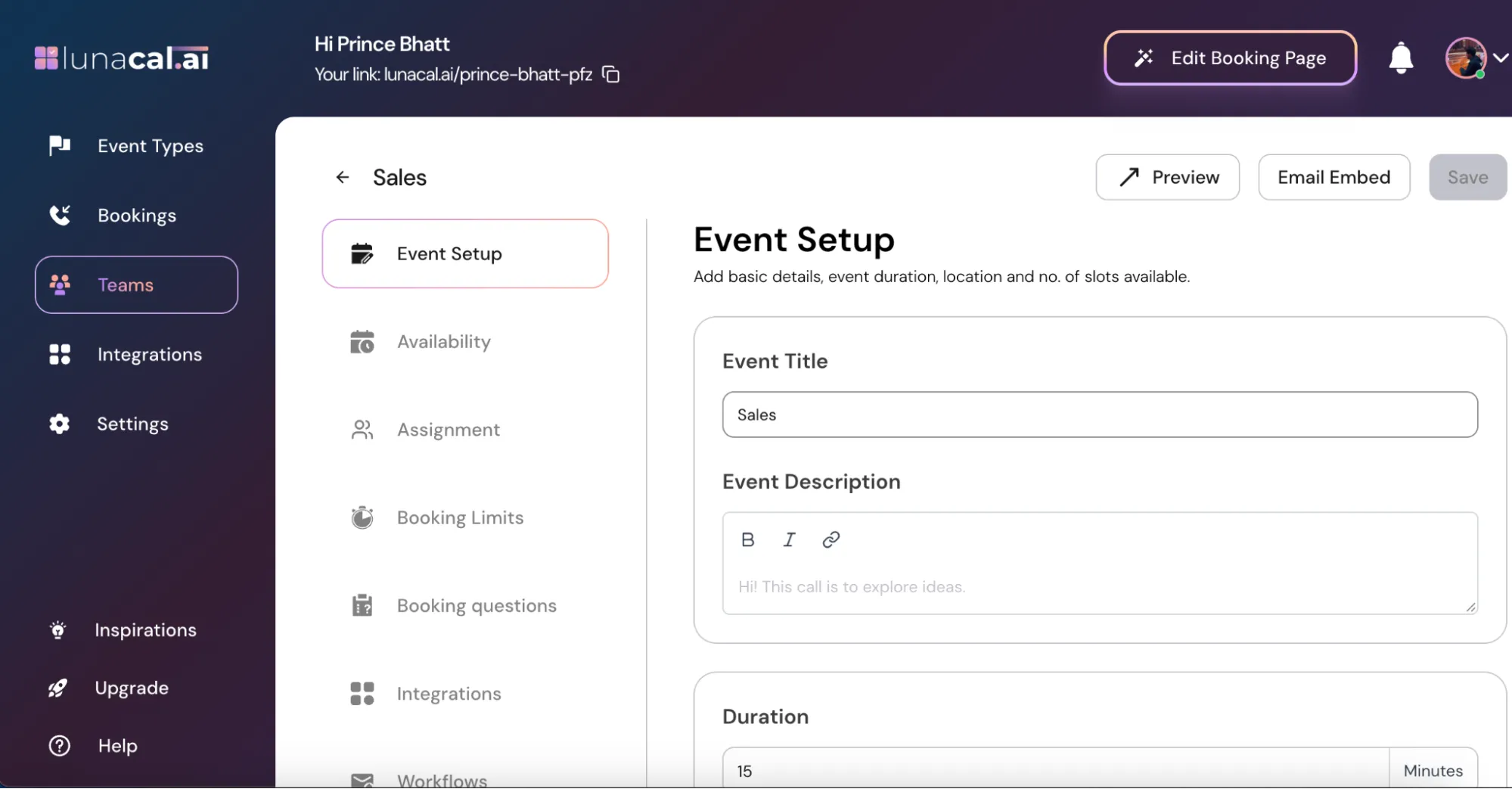
## Step 3
The "**Event Setup**", "**Booking Limits**", and other settings work the same way as a **regular event**.
**Example** Sales team with 4 reps: every new demo rotates through **Rep A → Rep B → Rep C → Rep D**, then loops back.
## Step 3
The "**Event Setup**", "**Booking Limits**", and other settings work the same way as a **regular event**.
 **Example** Keep your usual buffers and advance notice in "**Booking Limits**" so last-minute bookings don’t overload the next person in line.
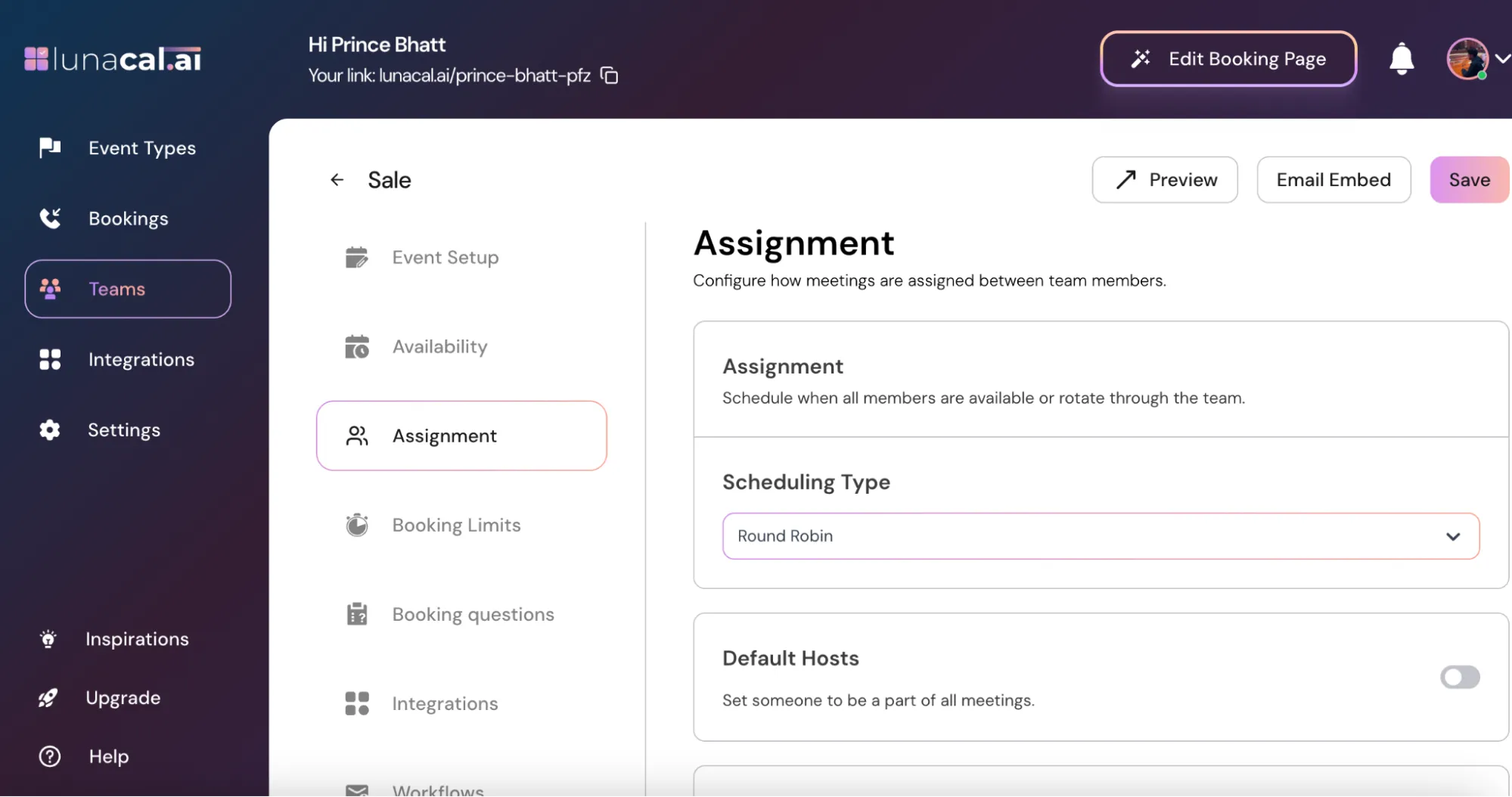
## Step 4
Go to the "**Assignment**" section.
**Example** Keep your usual buffers and advance notice in "**Booking Limits**" so last-minute bookings don’t overload the next person in line.
## Step 4
Go to the "**Assignment**" section.
 ## Step 5
"**Round-Robin Hosts**"
Turn **ON** → All current and future team members are automatically included in the rotation.
## Step 5
"**Round-Robin Hosts**"
Turn **ON** → All current and future team members are automatically included in the rotation.
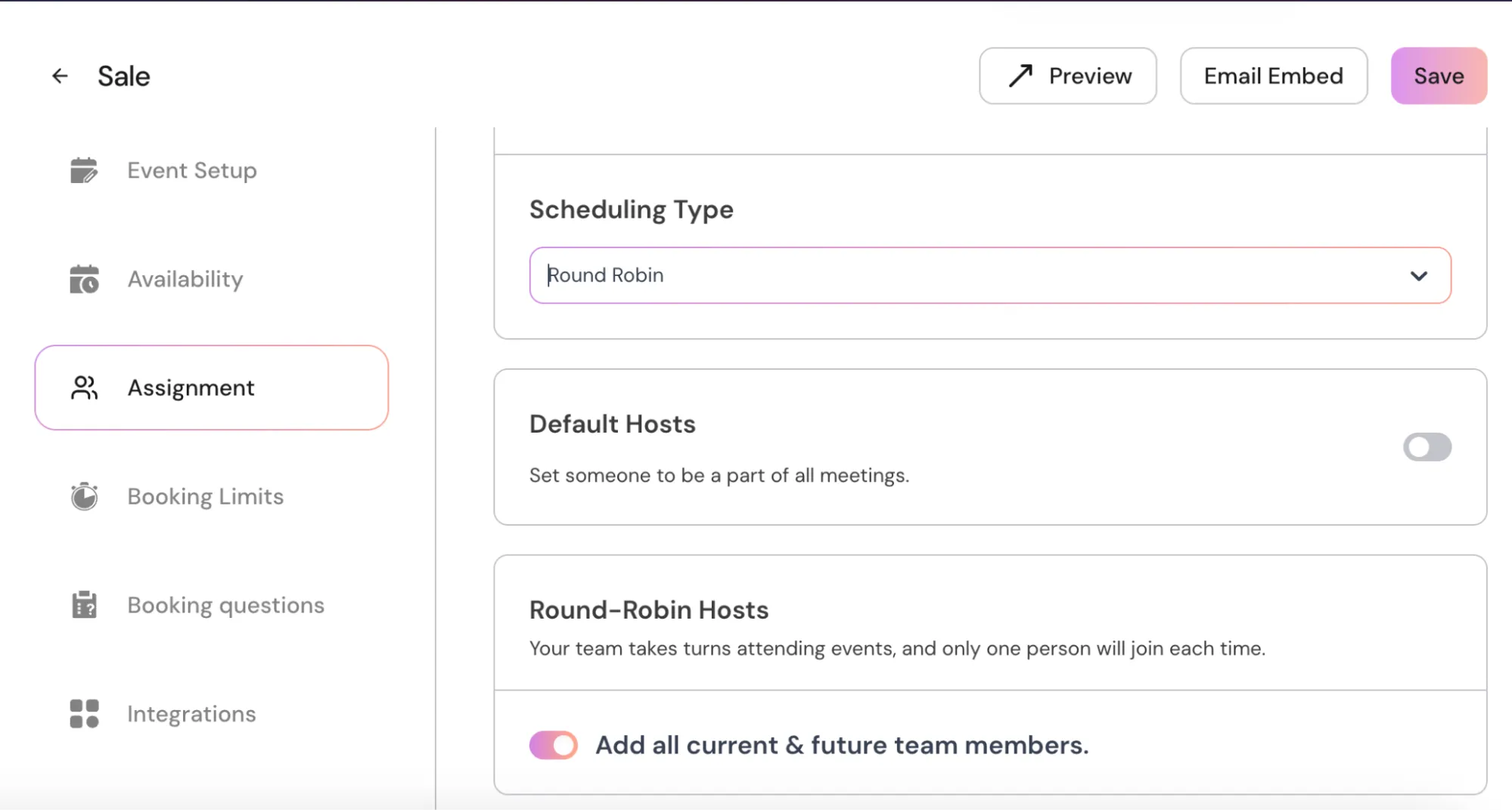 Turn **OFF** → Manually select which team members will be part of the rotation.
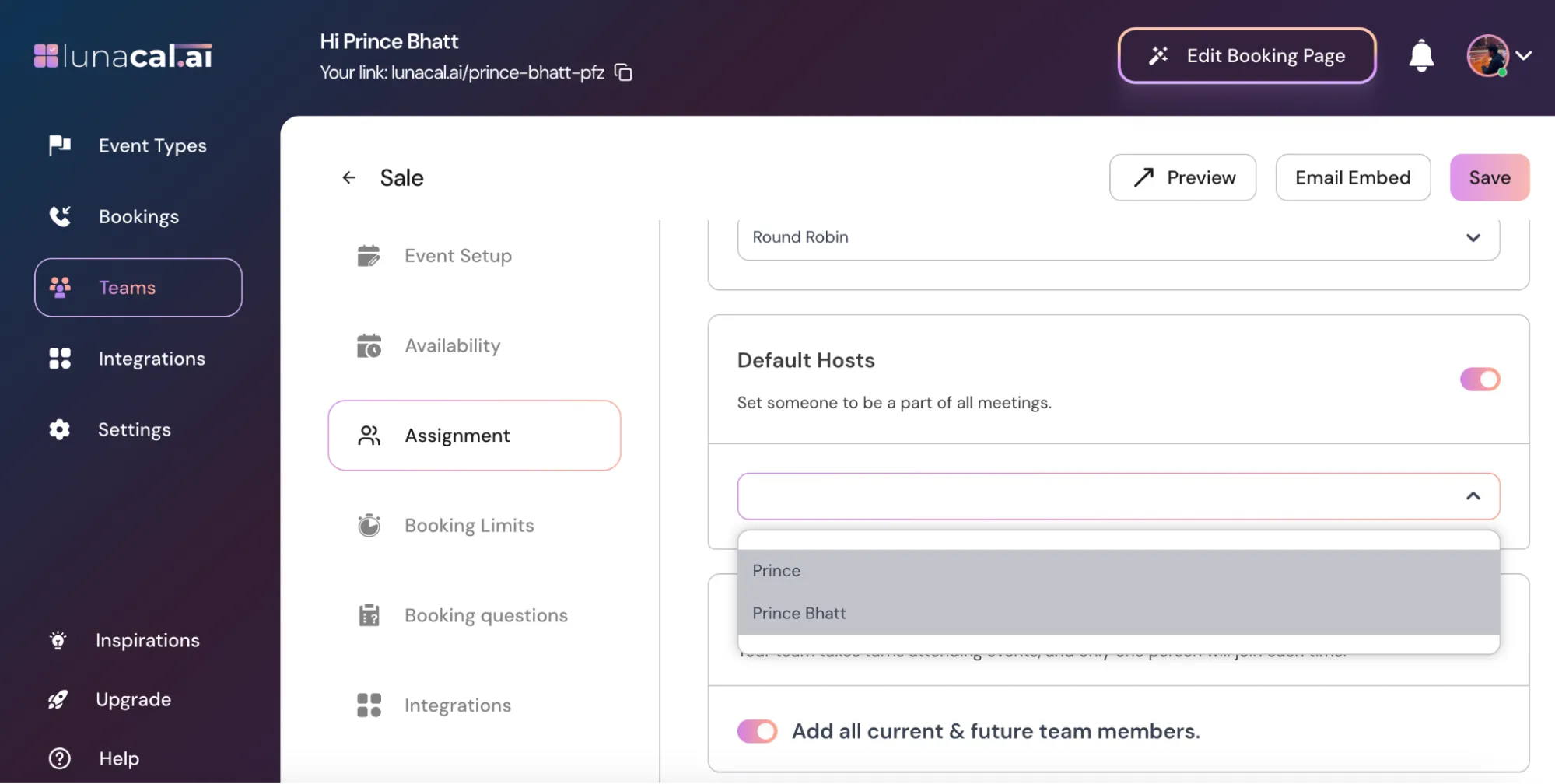
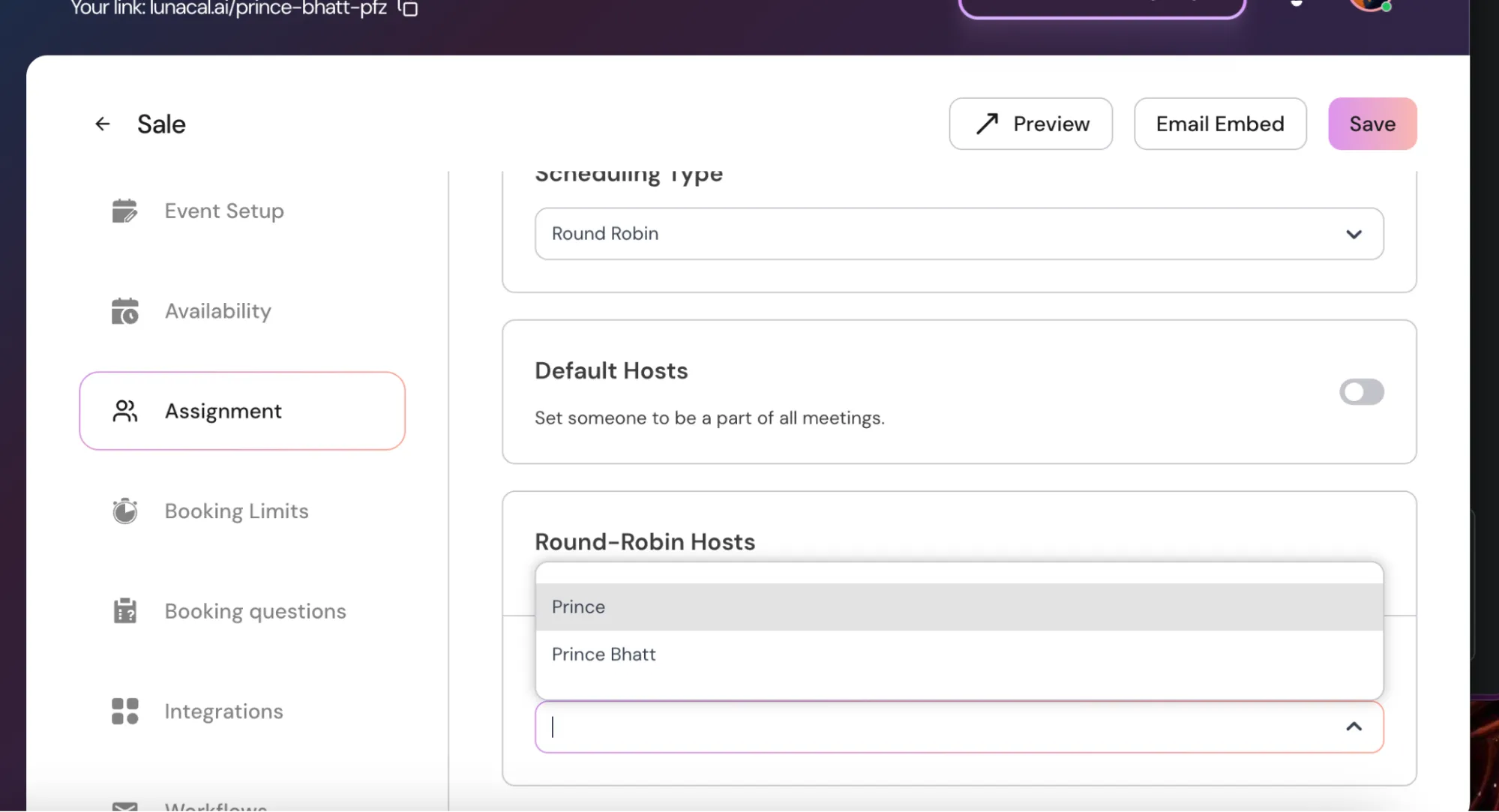 "**Default Hosts**"
A **Default Host** is a team member who will be added to every meeting in this event (co-host on all bookings).
"**Default Hosts**"
A **Default Host** is a team member who will be added to every meeting in this event (co-host on all bookings).
 Examples:
**Support triage**: keep "**Round-Robin Hosts**" **ON** so new hires auto-join the rotation; add a senior agent as "**Default Host**" to shadow first month.
**Clinic intake**: rotate among 3 junior doctors, but add the senior doctor as "**Default Host**" for first-visit consultations.
## Step 6
"**Availability Options**"
"**Choose a Common Schedule (ON)**": All hosts follow the same availability you set here. Any changes apply to all linked events.
Examples:
**Support triage**: keep "**Round-Robin Hosts**" **ON** so new hires auto-join the rotation; add a senior agent as "**Default Host**" to shadow first month.
**Clinic intake**: rotate among 3 junior doctors, but add the senior doctor as "**Default Host**" for first-visit consultations.
## Step 6
"**Availability Options**"
"**Choose a Common Schedule (ON)**": All hosts follow the same availability you set here. Any changes apply to all linked events.
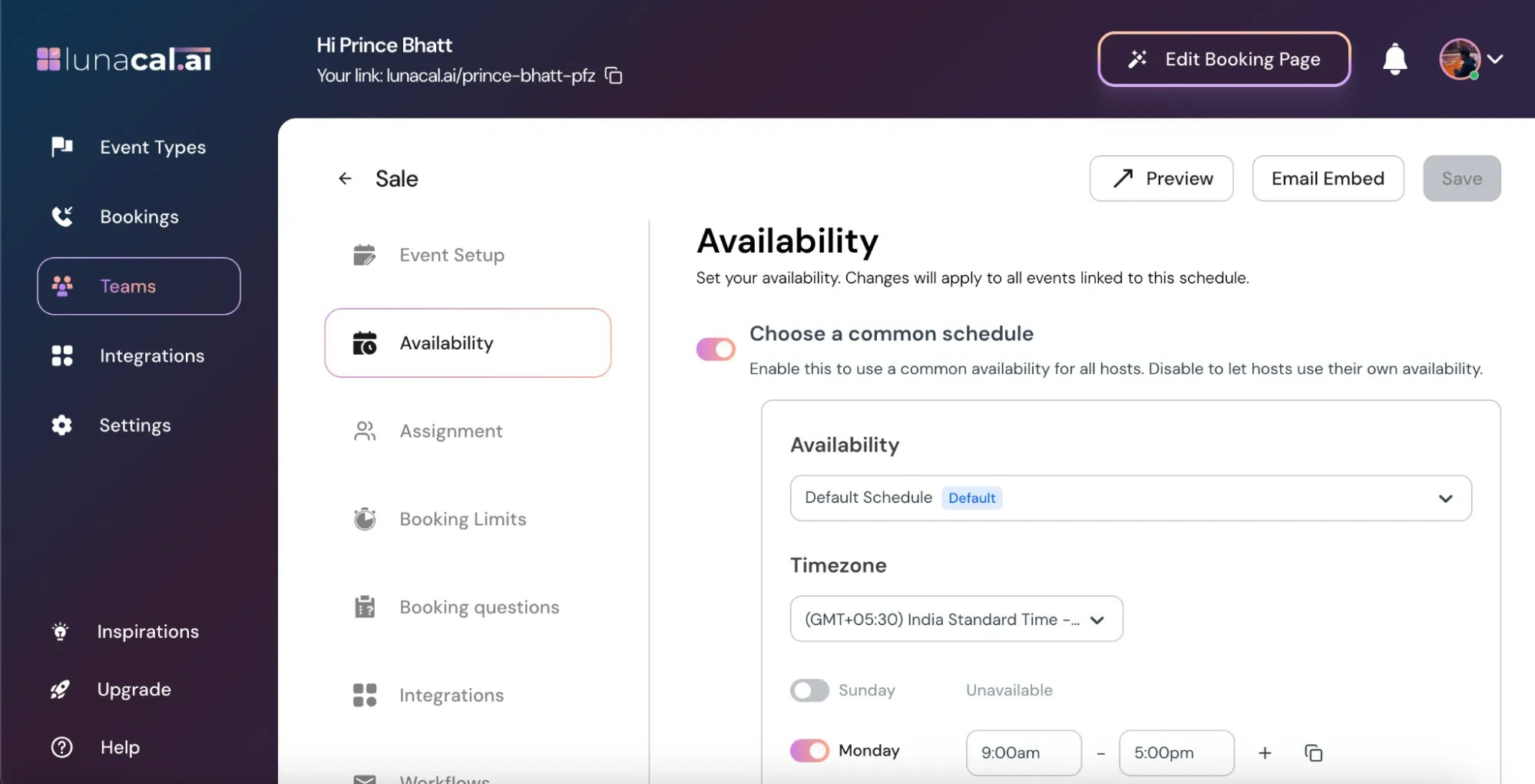 "**Choose a Common Schedule (OFF)**": Each host uses their own individual availability for this event.
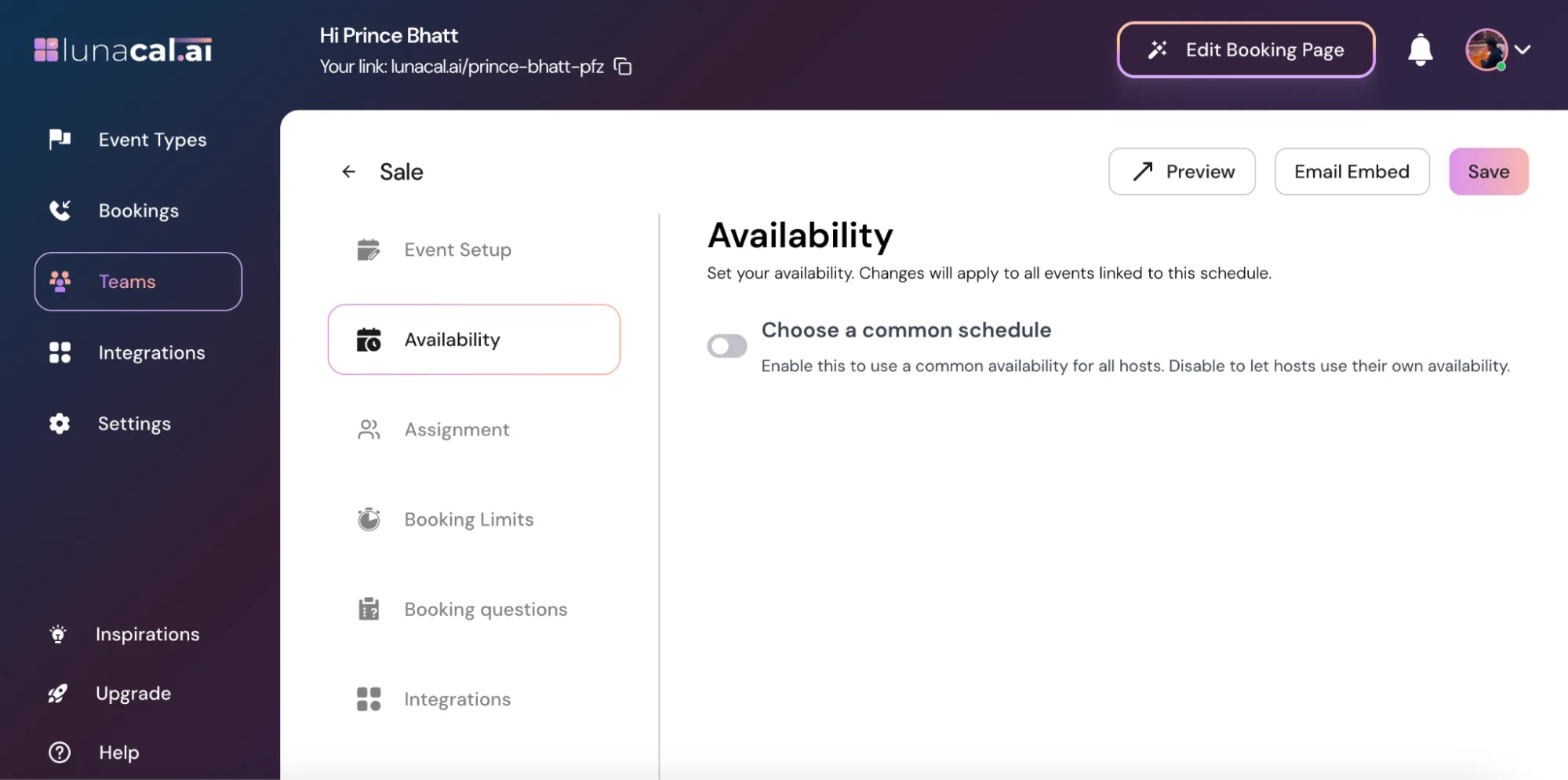 **Example Global team**: set "**Choose a Common Schedule (OFF)**" so each host’s personal hours are respected; Lunacal still rotates to the next host who’s free.
## Common mistakes to avoid
* Turning "**Round-Robin Hosts**" ON but leaving some members with no availability; they’ll never receive bookings.
* Forgetting buffers in "**Booking Limits**", causing back-to-back assignments for whoever is next.
* Adding a "**Default Host**" unintentionally and wondering why one person appears on every invite.
* Mixing "**Choose a Common Schedule (ON)**" with hosts who need different time zones; use OFF for individual schedules.
* Leaving future hires out when "**Round-Robin Hosts**" is OFF; remember to add them manually.
**Example Global team**: set "**Choose a Common Schedule (OFF)**" so each host’s personal hours are respected; Lunacal still rotates to the next host who’s free.
## Common mistakes to avoid
* Turning "**Round-Robin Hosts**" ON but leaving some members with no availability; they’ll never receive bookings.
* Forgetting buffers in "**Booking Limits**", causing back-to-back assignments for whoever is next.
* Adding a "**Default Host**" unintentionally and wondering why one person appears on every invite.
* Mixing "**Choose a Common Schedule (ON)**" with hosts who need different time zones; use OFF for individual schedules.
* Leaving future hires out when "**Round-Robin Hosts**" is OFF; remember to add them manually.