

What is package booking?
Package booking lets an attendee select multiple appointment time slots in one booking flow. A fixed package requires an exact number of sessions; a flexible package lets the attendee choose a number within a range you set. LunaCal’s appointment booking software supports packages for individual events and team events, except Collective Scheduling events.Which package option should I use?
- Fixed Slot: Require a specific number of sessions for a course or structured program.
- Flexible Range: Let attendees choose how many sessions to book within your minimum and maximum.
- Recurring bookings: Let attendees fill package slots using a repeating schedule, where supported.
Package Booking does not work with Collective Scheduling events. Recurring bookings also cannot be used when Seats are enabled on the event.
How to set up a session package in LunaCal
Open Event Types
Go to Event Types in your dashboard.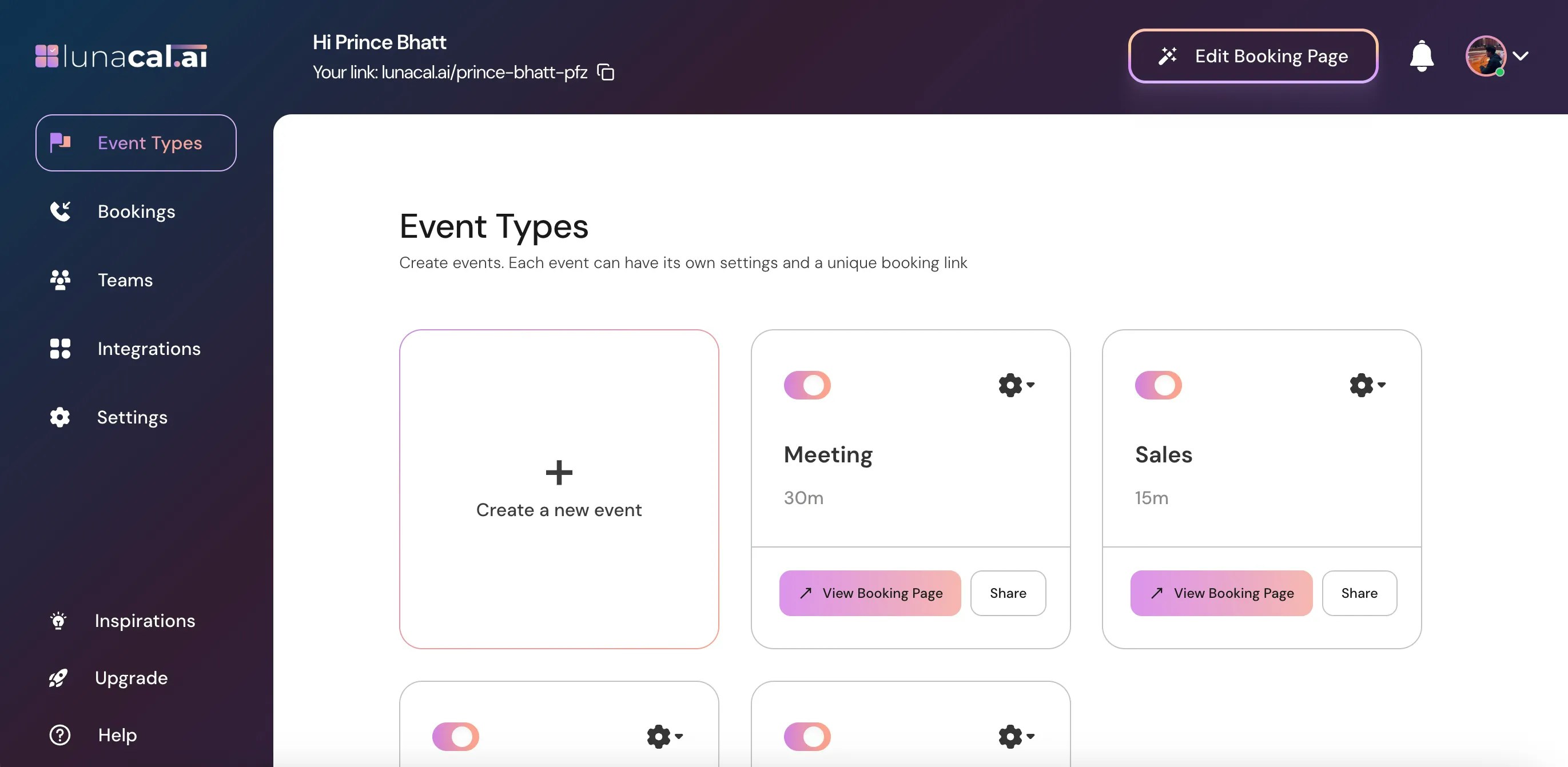
Select the event
Select the event you want to configure, or click the settings icon on its event card.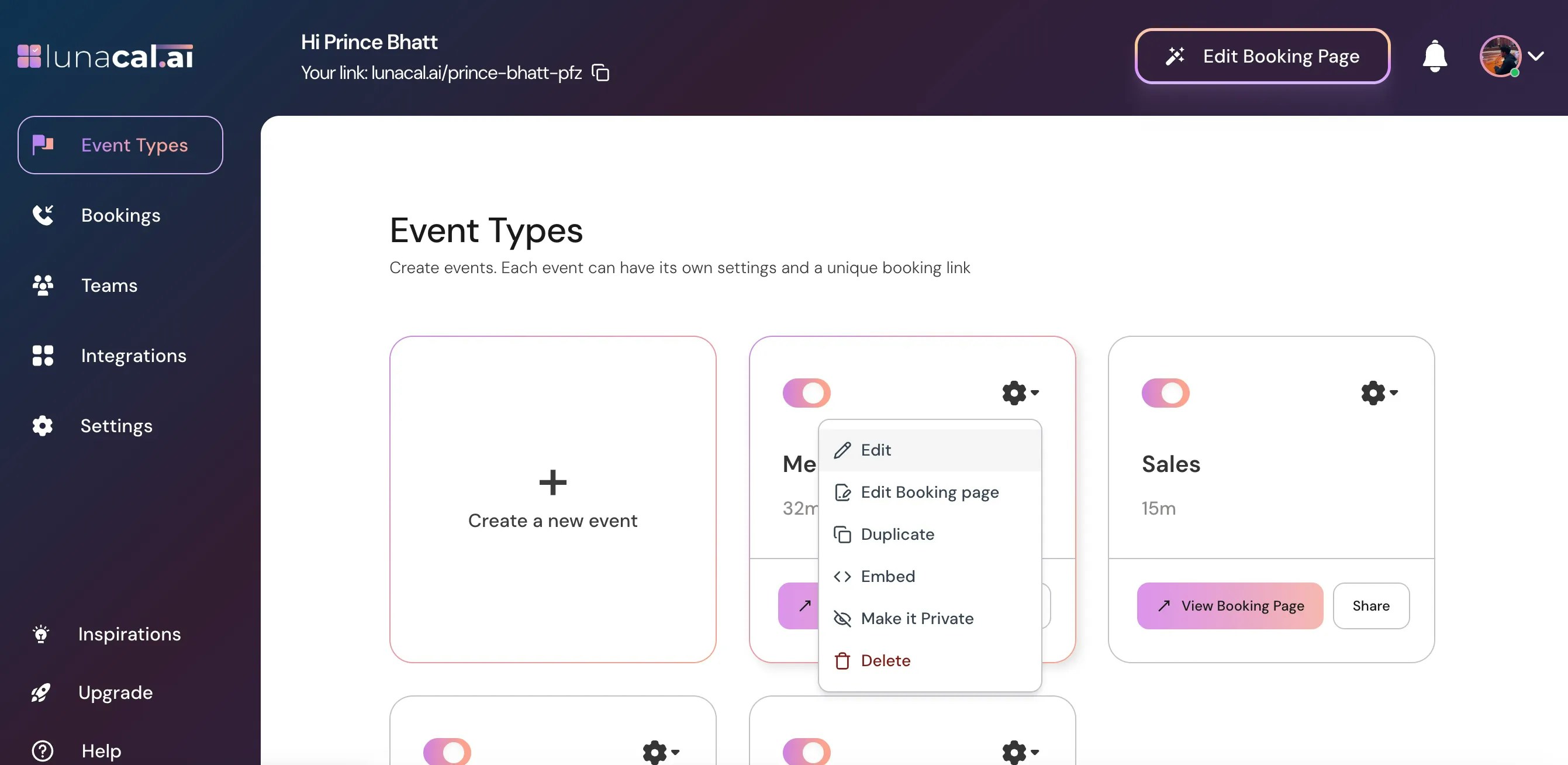
Edit the event
Choose Edit from the dropdown menu.Enable a multi-session package
In Event Setup, find Create a Multi-Session Package and turn it on. Enter a session count from 1 to 20.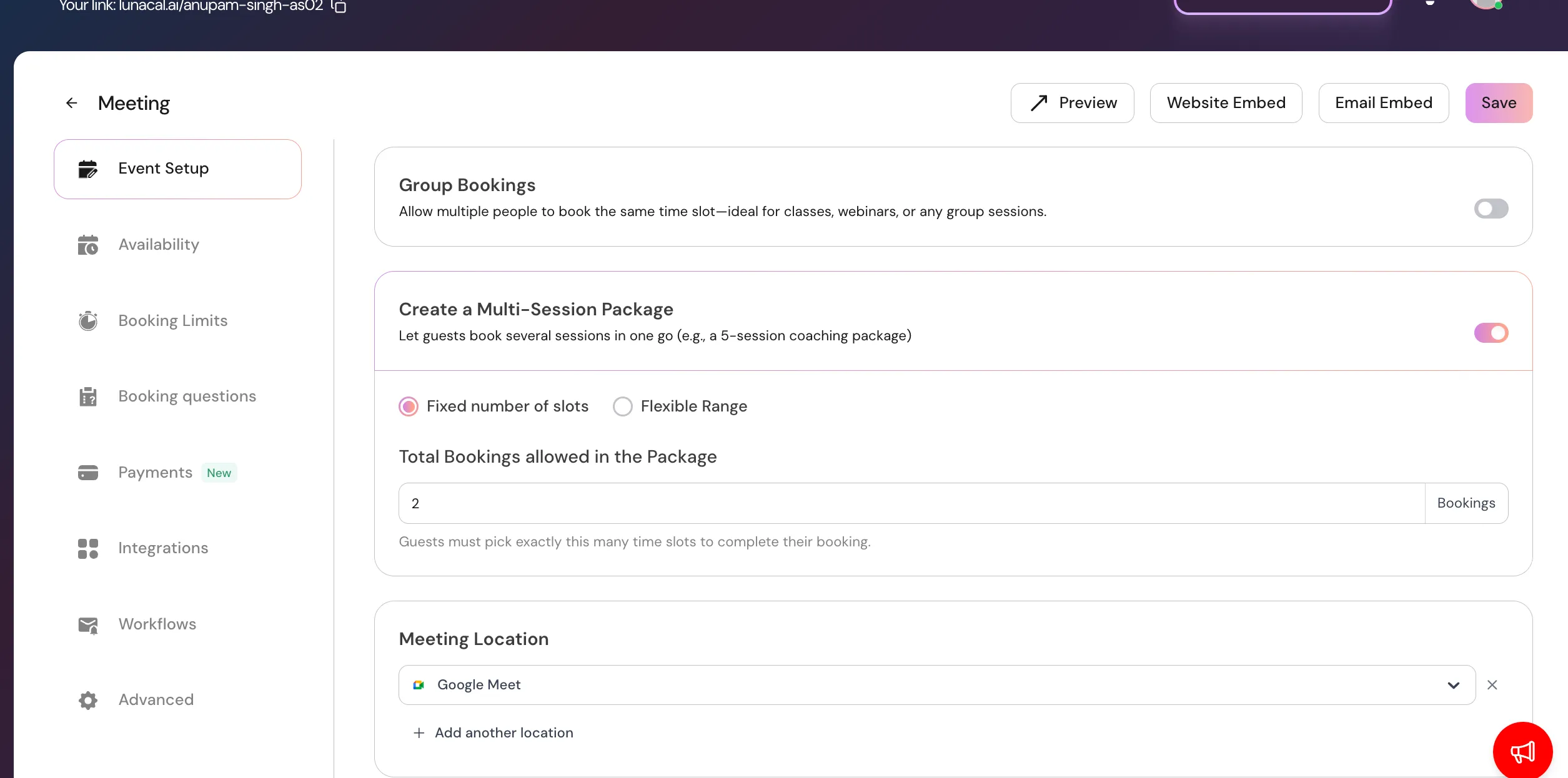
Choose a fixed count or flexible range
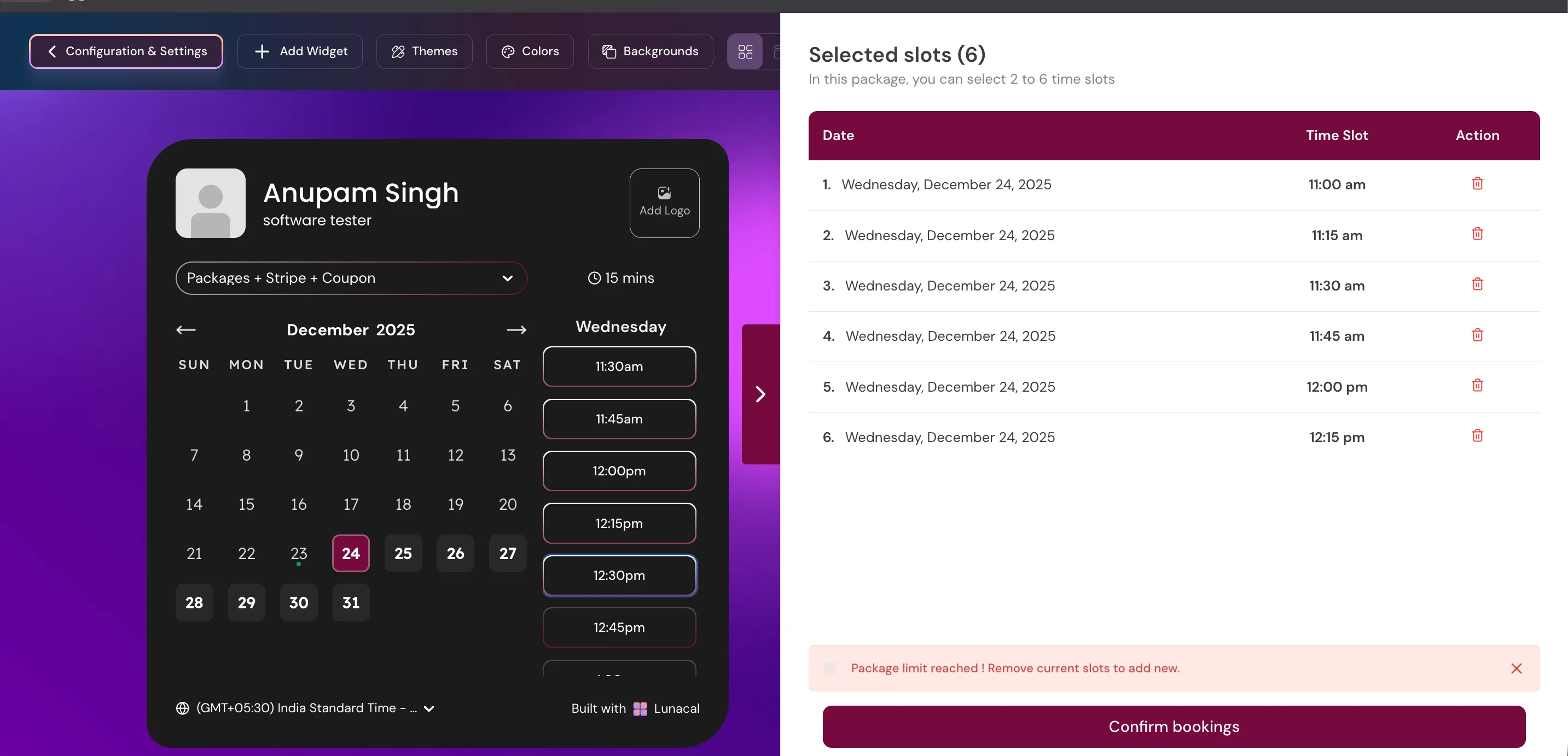
Example: With a flexible range of 2–6 sessions, an attendee can choose 6 sessions, as in the booking flow below.
How do recurring bookings work within a package?
Recurring bookings generate session dates from a repeating pattern, so attendees do not have to choose every date individually. Package Booking must be enabled first. Recurring bookings are unavailable for Collective Scheduling events and events with Seats enabled.Enable recurring bookings
In the package settings area, turn on Allow Recurring Bookings. Select one or more patterns for attendees to choose from.
Attendees can choose only from the patterns you enable.
Add recurring sessions as an attendee
When an attendee selects a time slot while building a package, they can choose:- Add this slot to package to add that date manually.
- Make this slot recurring to open the recurring sessions dialog.
Combine recurring and manually selected dates
Attendees can use both methods in the same package: choose some slots manually and fill the rest with a recurring pattern.
Understand confirmations, calendars, and changes
- Confirmation emails: Only the first session in a recurring series triggers a confirmation email to you and the attendee. Subsequent sessions are booked without additional confirmation emails.
- Calendar sync: Google Calendar and Outlook receive a single recurring calendar event using the recurrence rule, rather than separate events for every session.
- Removing a session: Attendees can remove individual slots after adding a recurring series to their package. Removing a middle slot splits the series into two groups automatically.
- Rescheduling: Recurring slot selection is unavailable when rescheduling an existing booking. Attendees must adjust slots manually.