

What is a One-time / Limited-use Booking Link?
When enabled, Lunacal generates a unique booking link for your event type. You can decide how many bookings are allowed through this link:- One-time link → Only 1 booking allowed
- Limited-use link → Allow multiple bookings by increasing the usage limit
⚠️ Note: Only the host can create and manage one-time or limited-use booking links.
How to Create a One-time or Limited-use Booking Link
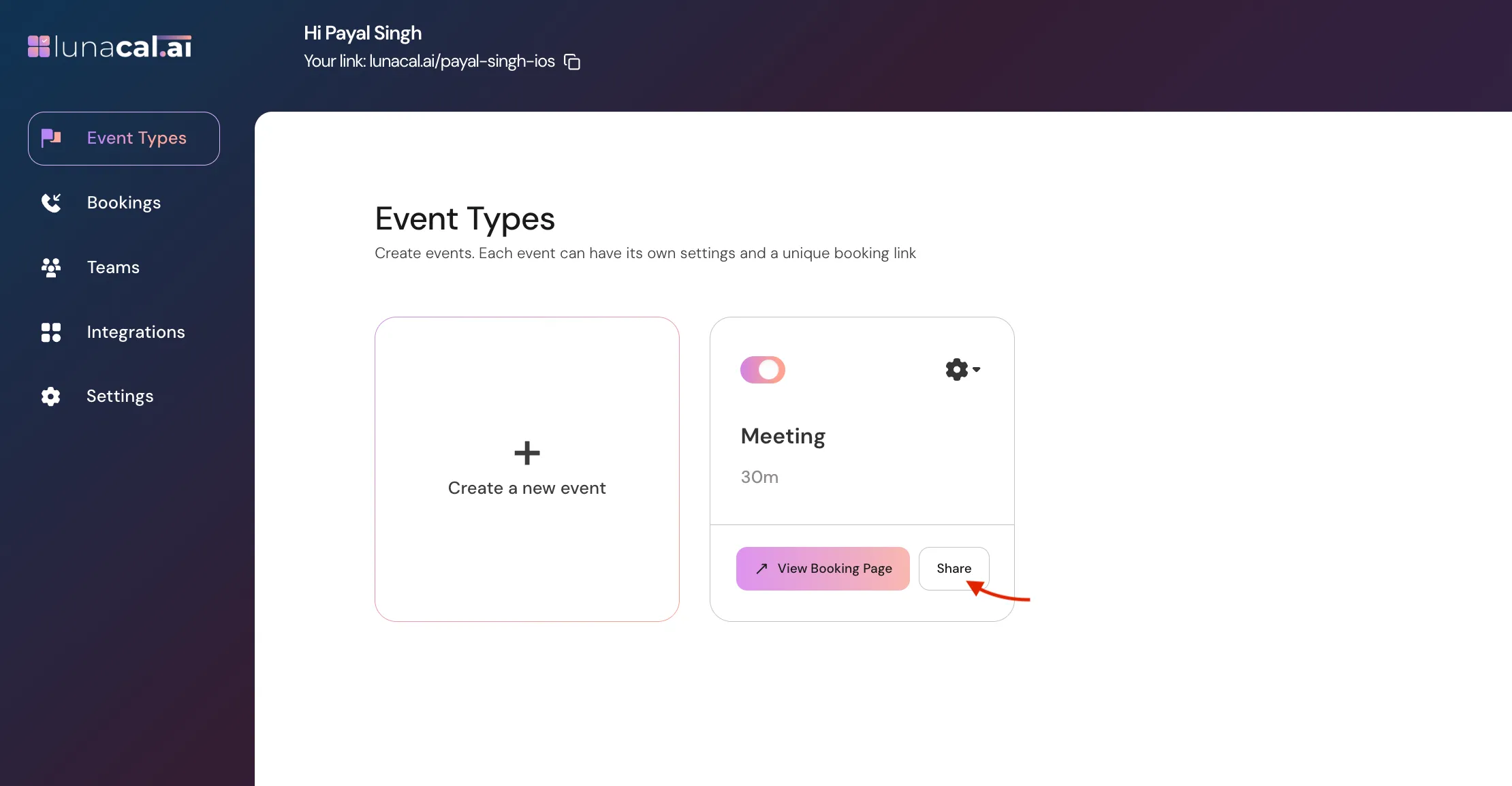
- Go to your Event Type, Click on the Share button.
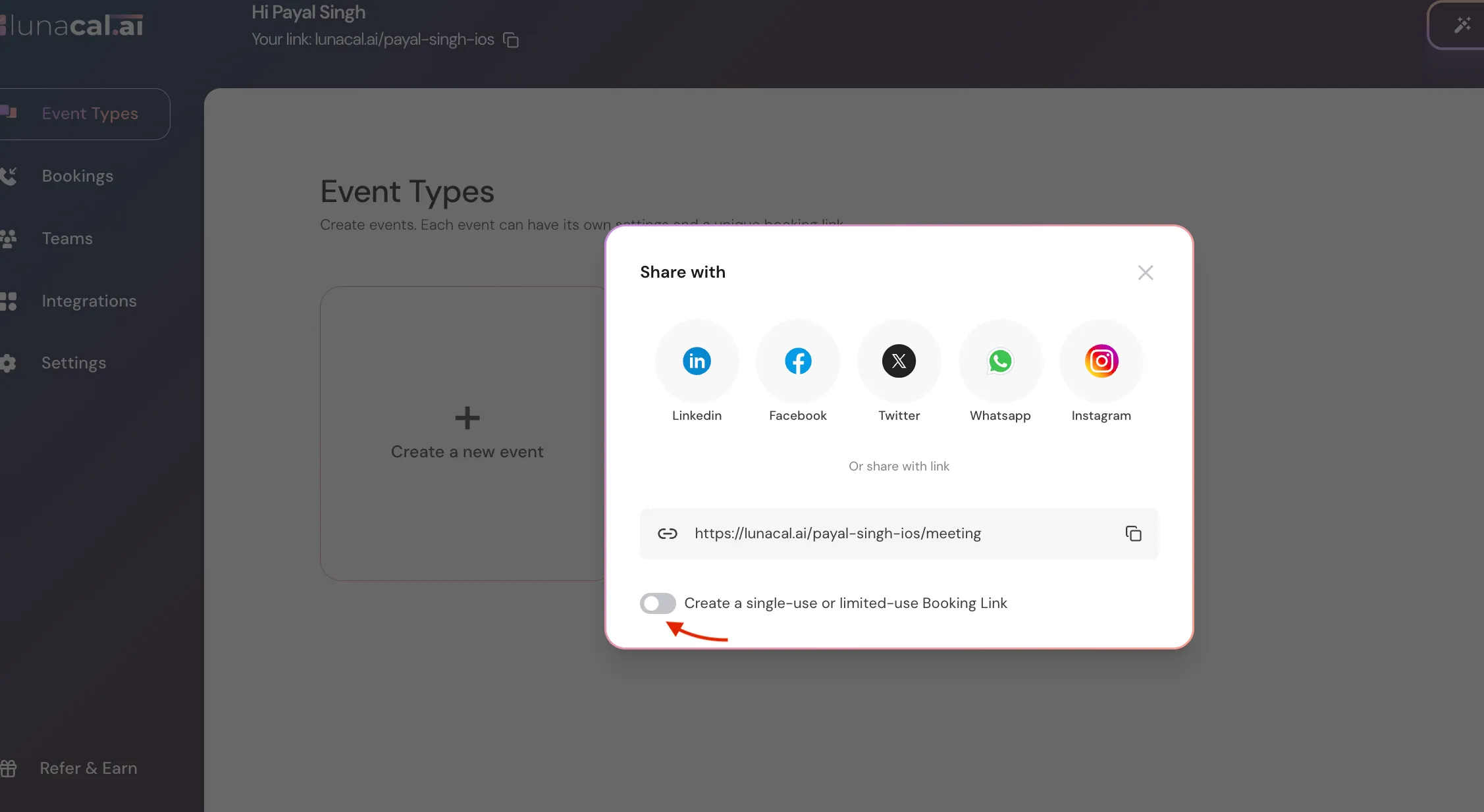
- Enable Create a single-use or limited-use Booking Link.
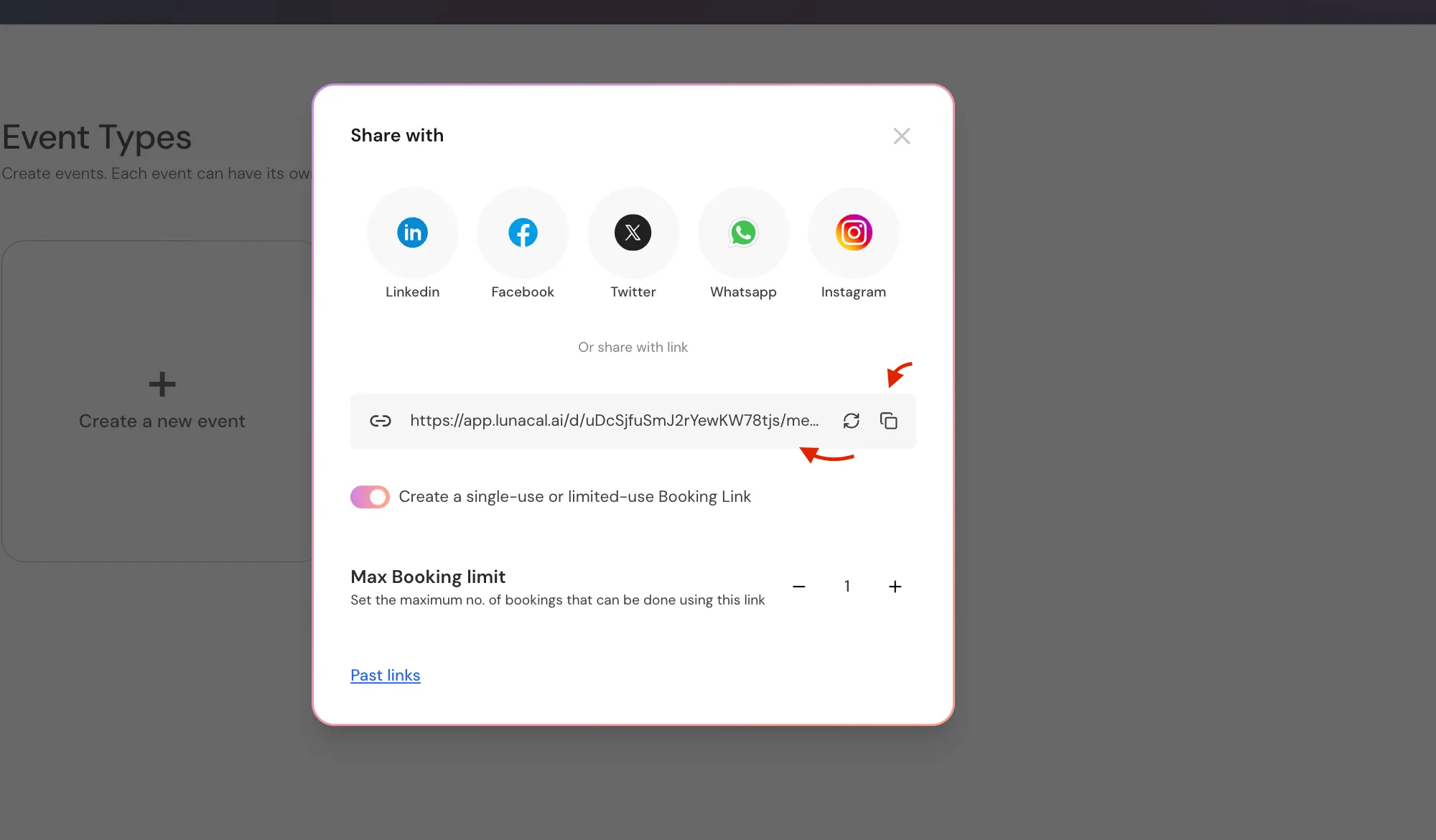
- A unique booking URL will be generated automatically, Copy it to share.
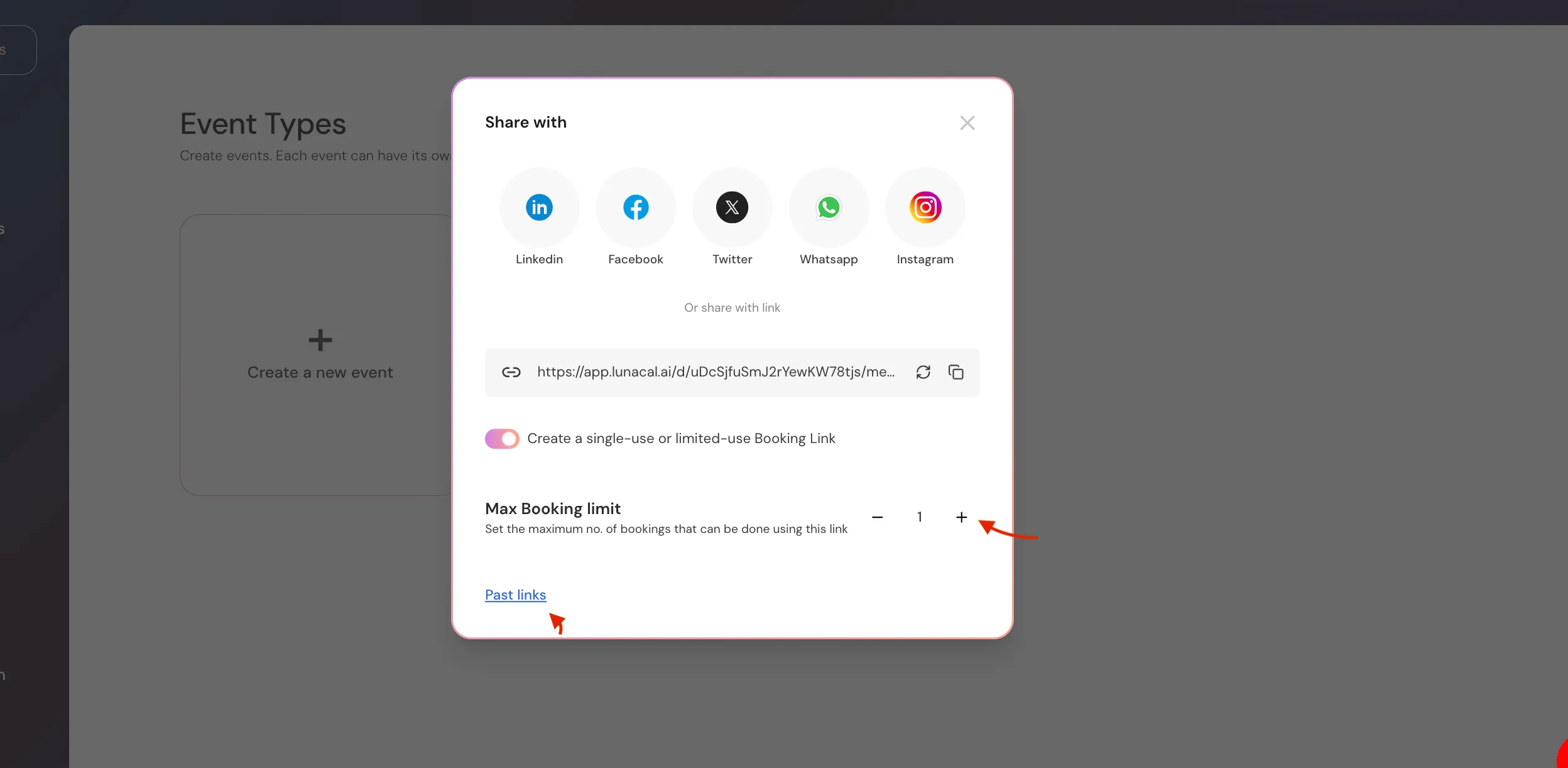
- Under Max Booking Limit, set how many bookings are allowed:
- Set it to 1 for a one-time booking link
- Increase the number if you want multiple bookings using the same link.
How It Works for Attendees
- Attendees can book normally using the shared link.
- Each successful booking reduces the available usage count.
- Once the limit is reached, no further bookings can be made using that link.
Viewing & Managing Past Booking Links
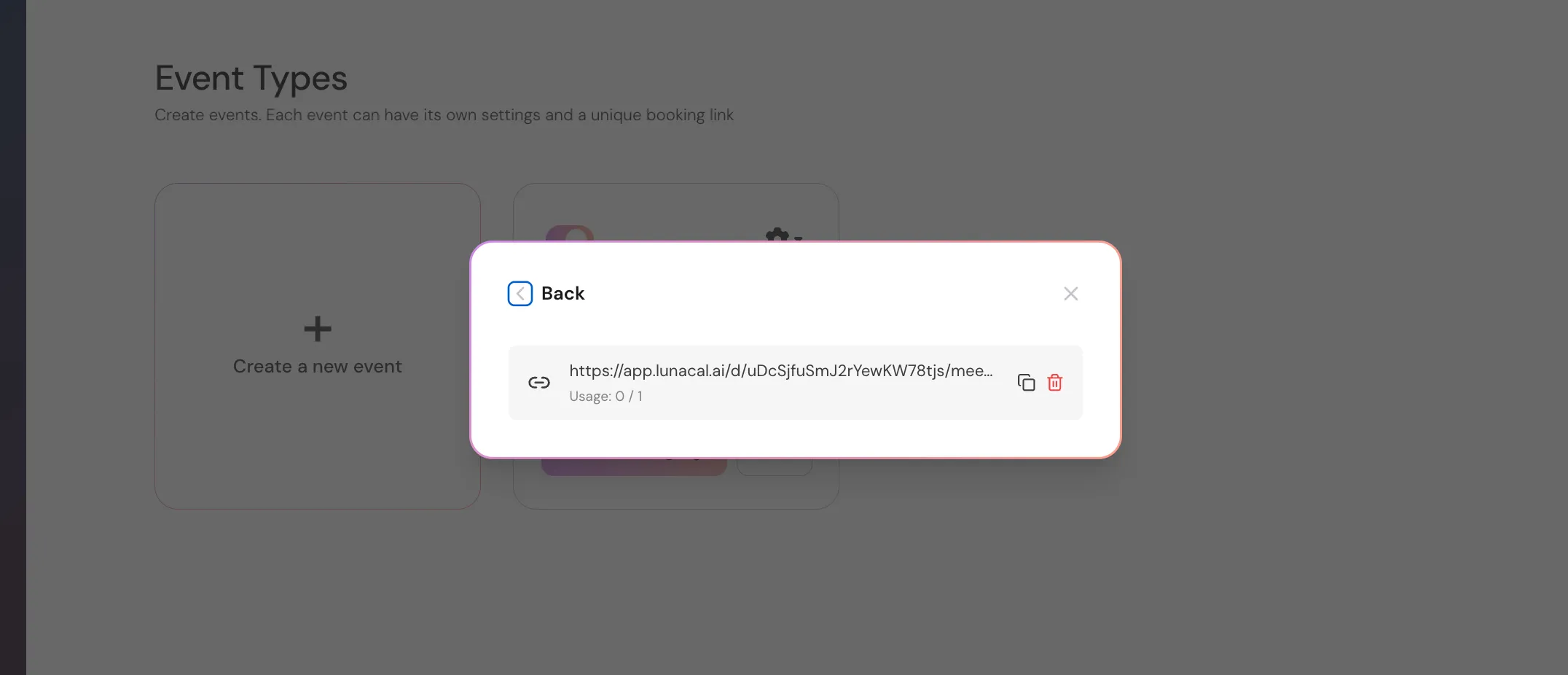
You can view all previously generated unique booking links:- Open the Share modal for the event type.
- Click on Past links.
- Here you can see:
- The unique booking link
- Usage count (e.g.,
0 / 1,1 / 3)
- You can also delete a link if it’s no longer needed.
Common Use Cases
- Sharing a private booking link with a specific client
- Sending a one-time meeting link via email or DM
- Limiting bookings for exclusive sessions or trials
- Preventing overbooking when sharing links publicly