

Note: Custom SMTP is available on Enterprise plan. If the section does not appear in your settings, check your current plan.
Where to configure it
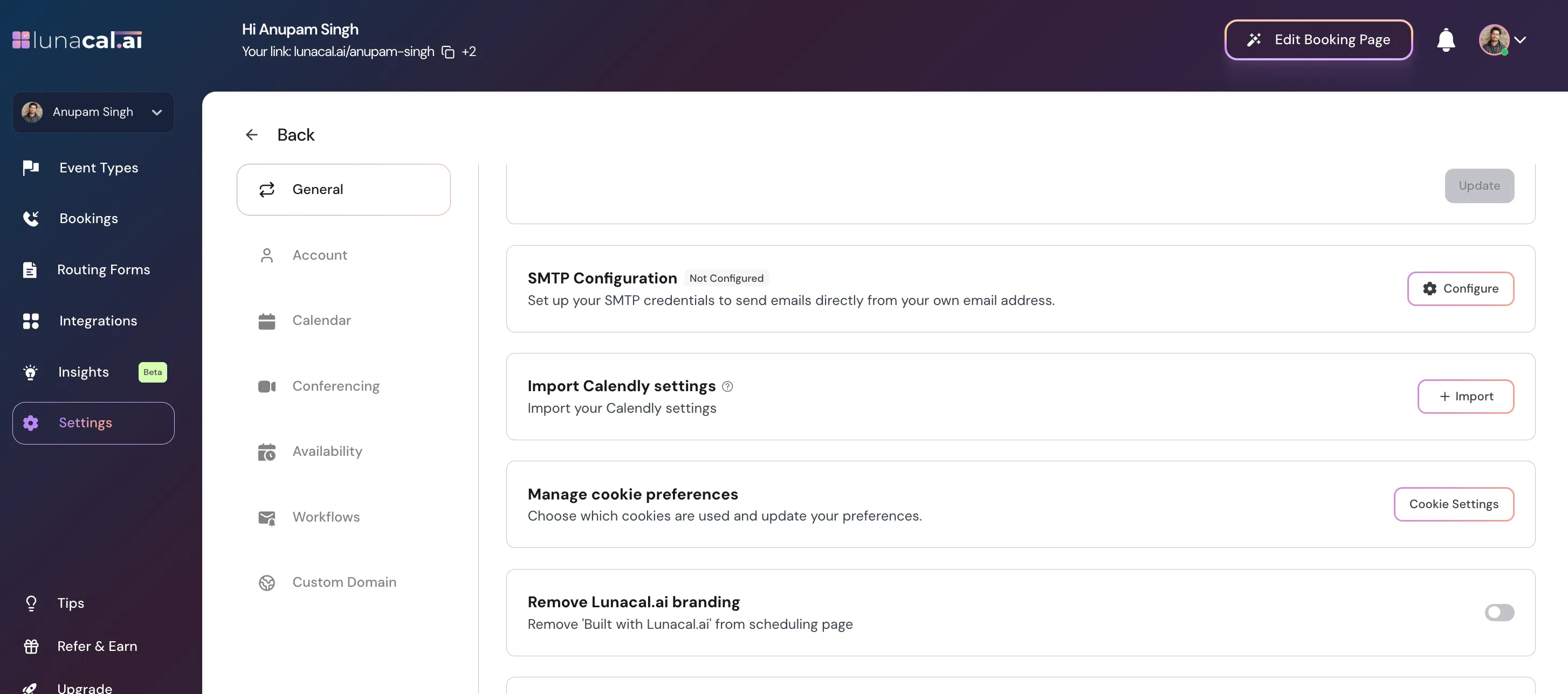
Personal account:Go to Settings → Profile and scroll down to the SMTP Configuration section.
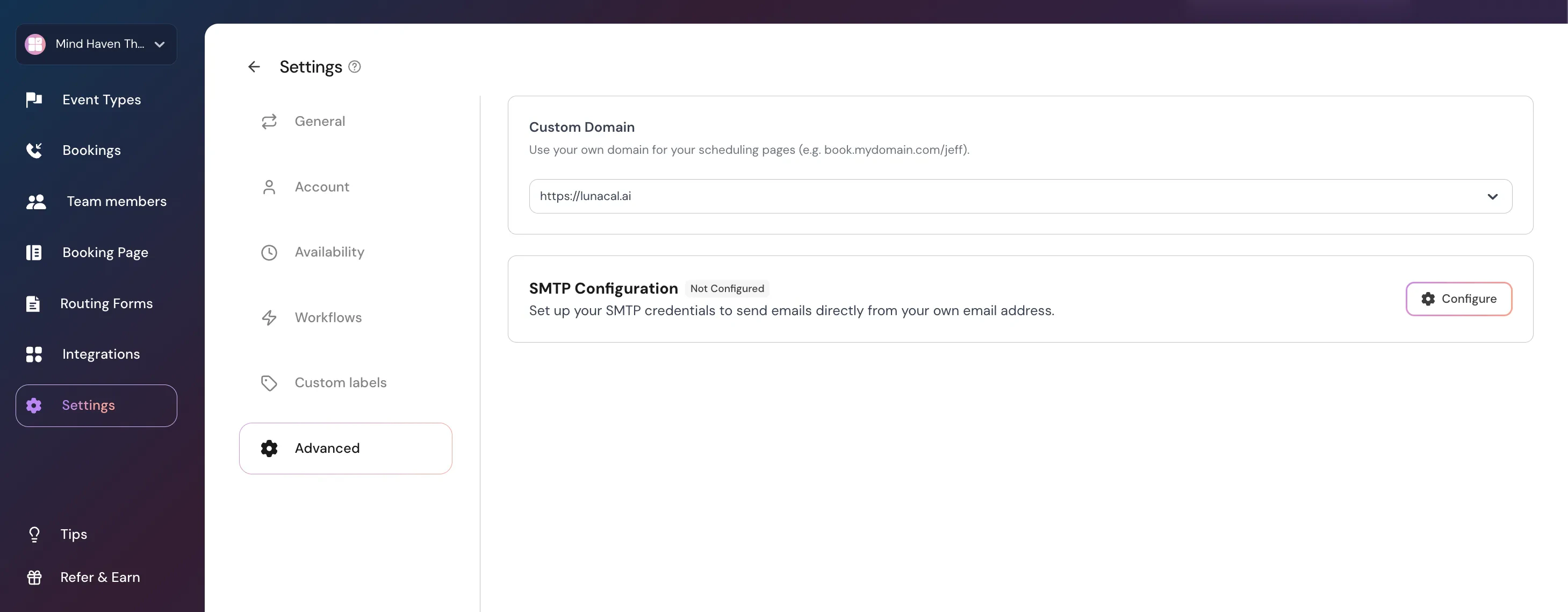
Go to Settings → Teams → [Your Team] → Settings → Advanced and scroll down to the SMTP Configuration section.
Setting up Custom SMTP
- Click Configure in the SMTP Configuration section.
- Fill in the following fields:
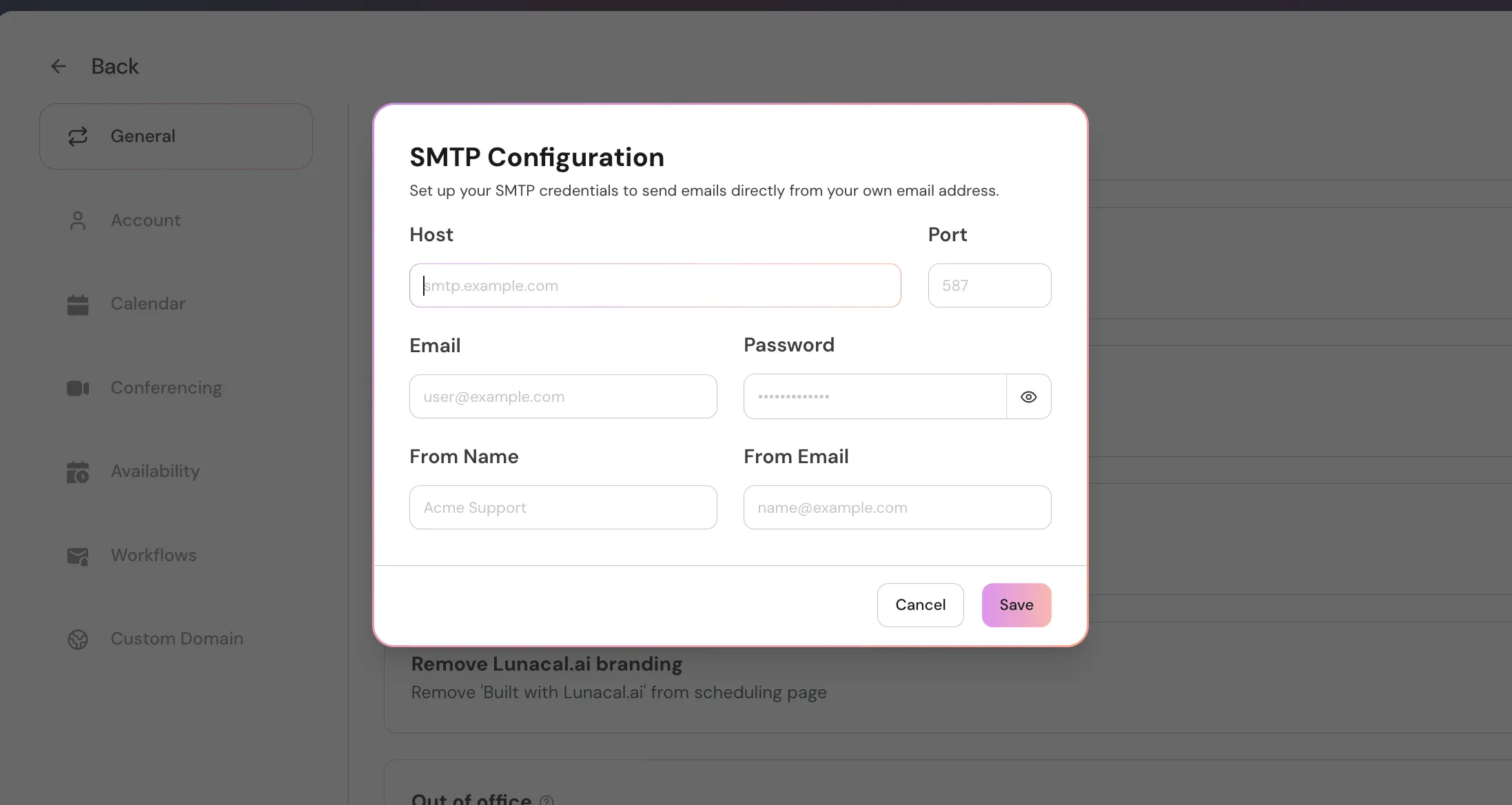
- Click Save. The section will show a Configured badge when saved successfully.
Note: The password cannot be edited after saving. To update it, delete the current configuration and add it again.
Common SMTP settings by provider
Gmail / Google Workspace- Host:
smtp.gmail.com - Port:
587 - Use an App Password if 2-Step Verification is enabled.
- Host:
smtp.office365.com - Port:
587
Disconnecting Custom SMTP
Click the Delete button in the SMTP Configuration section to disconnect your SMTP server. What happens when you disconnect:- Emails stop sending — all workflows that were created or updated while SMTP was connected will stop sending emails.
- Workflows are disabled — those workflows will be disabled for all event types they are attached to.
- Re-verification required — you will need to re-verify the email content of these workflows before they can send again.