

Overview
Lunacal lets you control language at two different levels:- Visitor Language – the language your guests see on your booking pages and emails.
- App Interface Language – the language used inside your Lunacal dashboard (admin view).
Visitor Language (visible to your guests)
The Visitor Language controls the language shown to your attendees across all customer-facing surfaces.Where it applies
The selected visitor language is used in:- Booking pages
- Booking confirmation pages
- Confirmation and notification emails sent to guests
- Calendar invites sent to attendees
Available languages
You can choose from the following languages:- العربية (Arabic)
- Deutsch (German)
- English
- Español (Spanish)
- Français (French)
- ภาวม
- Italiano (Italian)
- Nederlands (Dutch)
- Polski (Polish)
- Português (Portuguese)
- Русский (Russian)
- Svenska (Swedish)
- Tiếng Việt (Vietnamese)
How to change visitor language
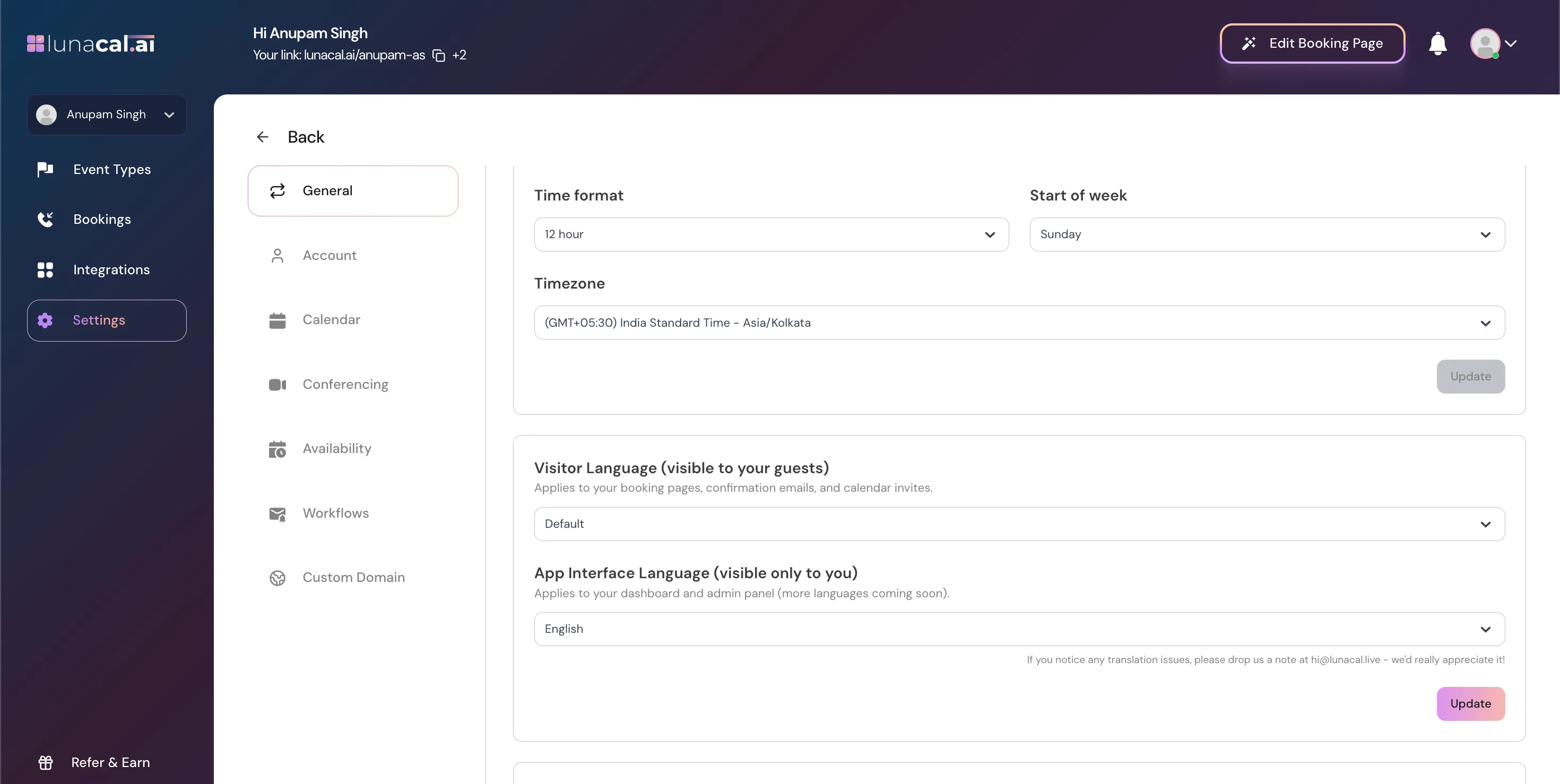
- Go to Settings → General
- Find Visitor Language (visible to your guests)
- Select your preferred language from the dropdown
- Click Update to save changes
App Interface Language (visible only to you)
The App Interface Language controls the language used inside your Lunacal dashboard.Where it applies
This setting affects:- Dashboard labels
- Settings pages
- Admin controls
This language is only visible to you and does not affect what your guests see.
Current availability
- English (currently the only available option)
How to change app interface language
- Go to Settings → General
- Scroll to App Interface Language (visible only to you)
- Select a language (English)
- Click Update
Important notes
- Visitor Language and App Interface Language are independent of each other.
- Changing Visitor Language does not change your dashboard language.
- Changes apply to new bookings immediately after saving.