How It Works
Lunacal supports prefilling booking fields by passing values either:- via URL query parameters
- via embed configuration (if you embed lunacal directly on your site)
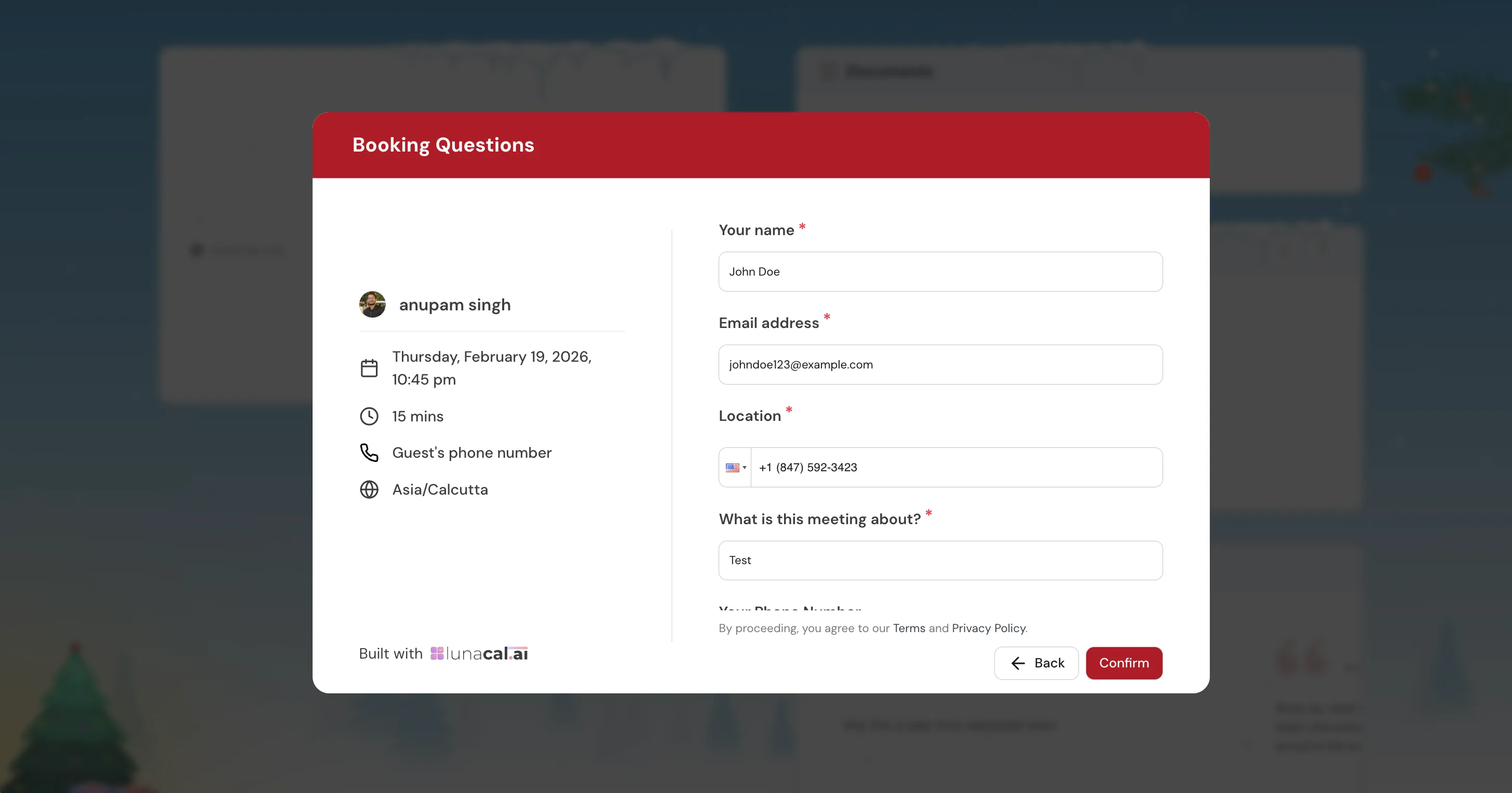
A sample booking form with various fields prefilled
Step 1 — Find the Internal Label of a Field
Every booking question has an internal label (also called an identifier). This is the key you’ll use in query parameters or embed config. For custom questions you’ve added: Go to Event Settings → Booking Questions, open any question, and copy its Internal Label. For built-in system fields, the internal labels are fixed:2. Prefill via URL Parameters
Append fields as query parameters to your booking URL:https://lunacal.ai/your-username/your-event?key=value&key2=value2
A. Name
Full name (single field):?name=Jane%20Smith
First name + Last name (if your event uses split name fields): ?firstName=Jane&lastName=Smith
If bothfirstNameandlastNameare present, they are combined into a single full name automatically.
B. Email
?email=jane@example.com
C. Phone Number
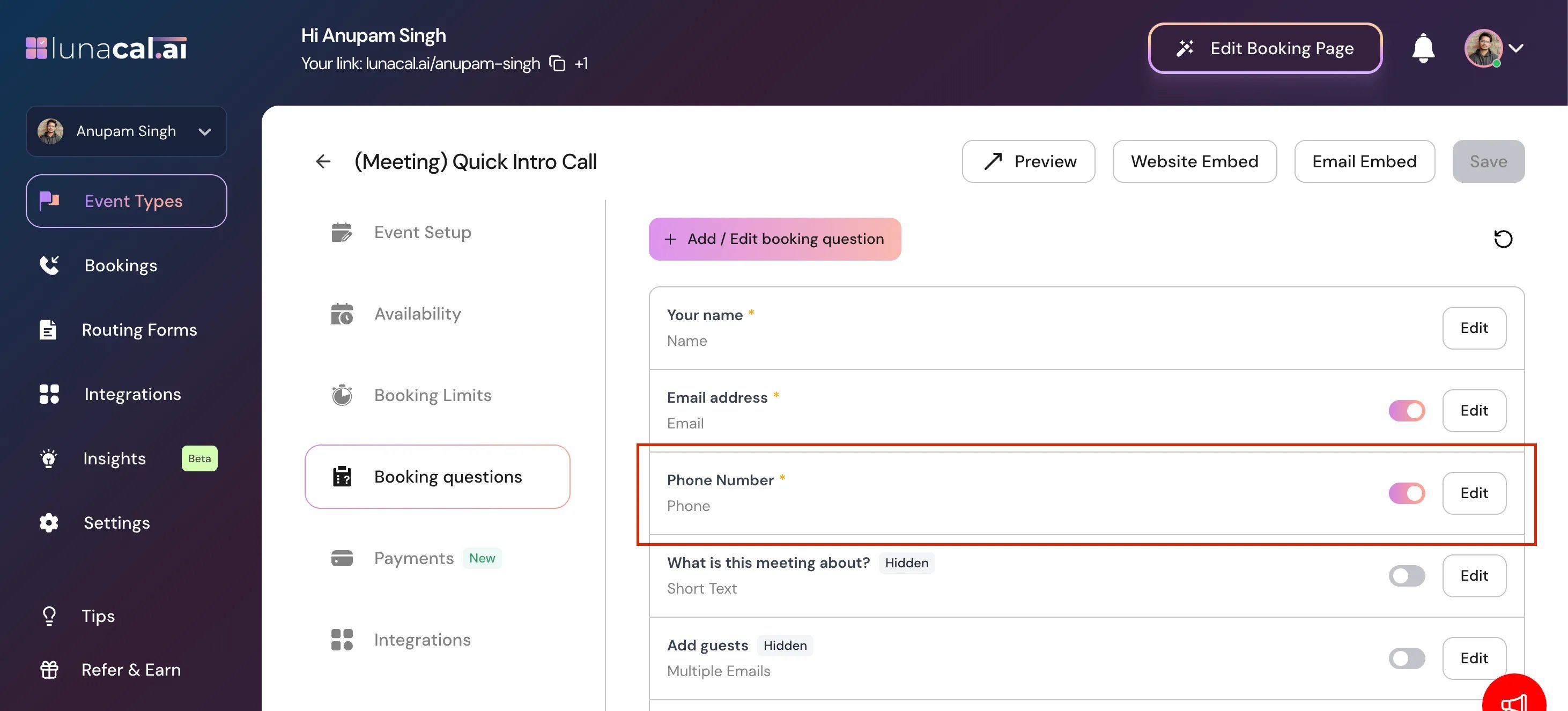
There are two separate cases for phone, depending on how your event is set up: Case 1 — Phone as a booking question If you added a Phone Number question under Booking Questions, useattendee-phone:
?attendee-phone=%2B919999999999
The + in a country code must be URL-encoded as %2B.
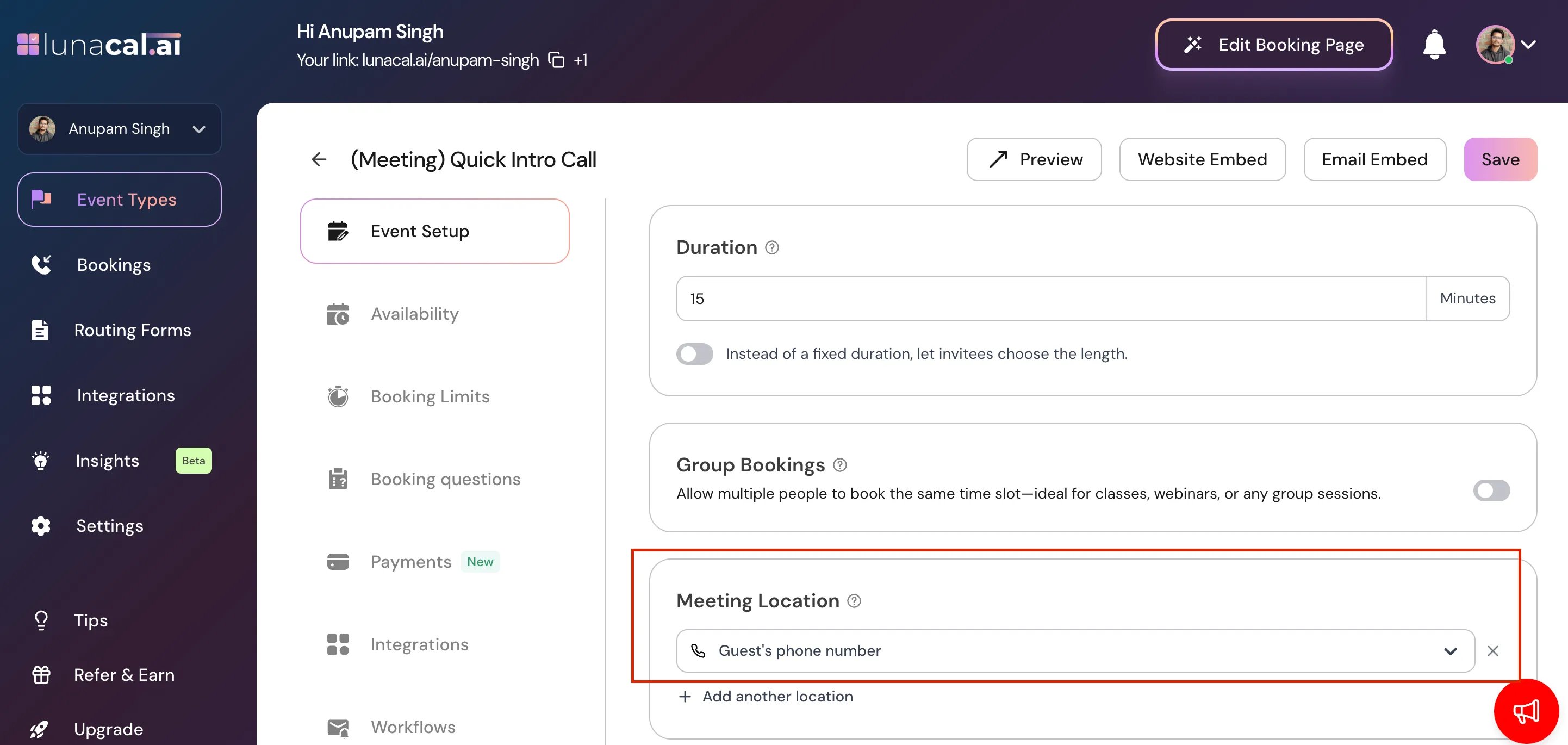
Case 2 — Phone as the meeting location (Guest Phone Number)
If your event uses Guest Phone Number as the location type, pass a location JSON object:
?location={"value":"phone","optionValue":"%2B919999999999"}
In this case,%2Breplaces+in the phone number inside the JSON value.
D. Short Text Question
Use the question’s internal label directly:?your-internal-label=Your%20answer%20here
Example — if the internal label is company-name: ?company-name=Acme%20Corp
E. Long Text / Paragraph Question
Same as short text — use the internal label:?your-internal-label=This%20is%20a%20longer%20answer%20spanning%20multiple%20sentences.
F. Dropdown (Single Select) Question
Pass the exact option value (case-sensitive) that matches one of the dropdown choices:?your-internal-label=Option%20One
Example — if the internal label is meeting-type and the option is "Product Demo": ?meeting-type=Product%20Demo
G. Multiple Choice — Single Answer (Radio)
Same format as dropdown. Pass the exact label of the option you want pre-selected:?your-internal-label=Option%20Label
H. Checkbox / Multi-Select Question
Pass multiple values for the same key to pre-check multiple options:?your-internal-label=Option%20One&your-internal-label=Option%20Two
Example — if the internal label is topics: ?topics=Design&topics=Engineering&topics=Marketing
I. Consent Checkbox (Boolean)
Passtrue or false:
?your-internal-label=true
J. Additional Guests (Multi-Email)
Pass multiple emails usingguests (or the legacy alias guest):
?guests=alice@example.com&guests=bob@example.com
K. Notes / Meeting Title
?notes=Please%20bring%20the%20Q2%20report
?title=Strategy%20sync%20-%20Q3
URL Encoding Rules
3. Prefill in an Embedded Lunacal Calendar
When embedding Lunacal with the JavaScript snippet, you can pass prefill values directly in theconfig object — no query params needed.
Use the question’s internal label as the key, and the prefill value as the value.
Inline Embed Example
Popup / Float Embed Example
Quick Reference — All Field Types
Common Issues
Q: My dropdown prefill isn’t working. Make sure the value you’re passing exactly matches the option label, including capitalization and spacing. Q: My phone number prefill shows up without the + sign. The+ must be URL-encoded as %2B in query parameters. For embed config, pass the + directly as a string (e.g., "+919999999999").
Q: The name field isn’t being filled. Check whether your event uses a single Full Name field or split First Name / Last Name fields. Use ?name= for the combined field, or ?firstName=&lastName= for the split version.
Q: Checkbox options aren’t being selected. For multi-select and checkbox fields, each option must be passed as a separate parameter with the same key: ?topics=Design&topics=Engineering. In embed config, pass an array.
4. Prefill via URL Parameters (Scheduling Page & Embedded Page)
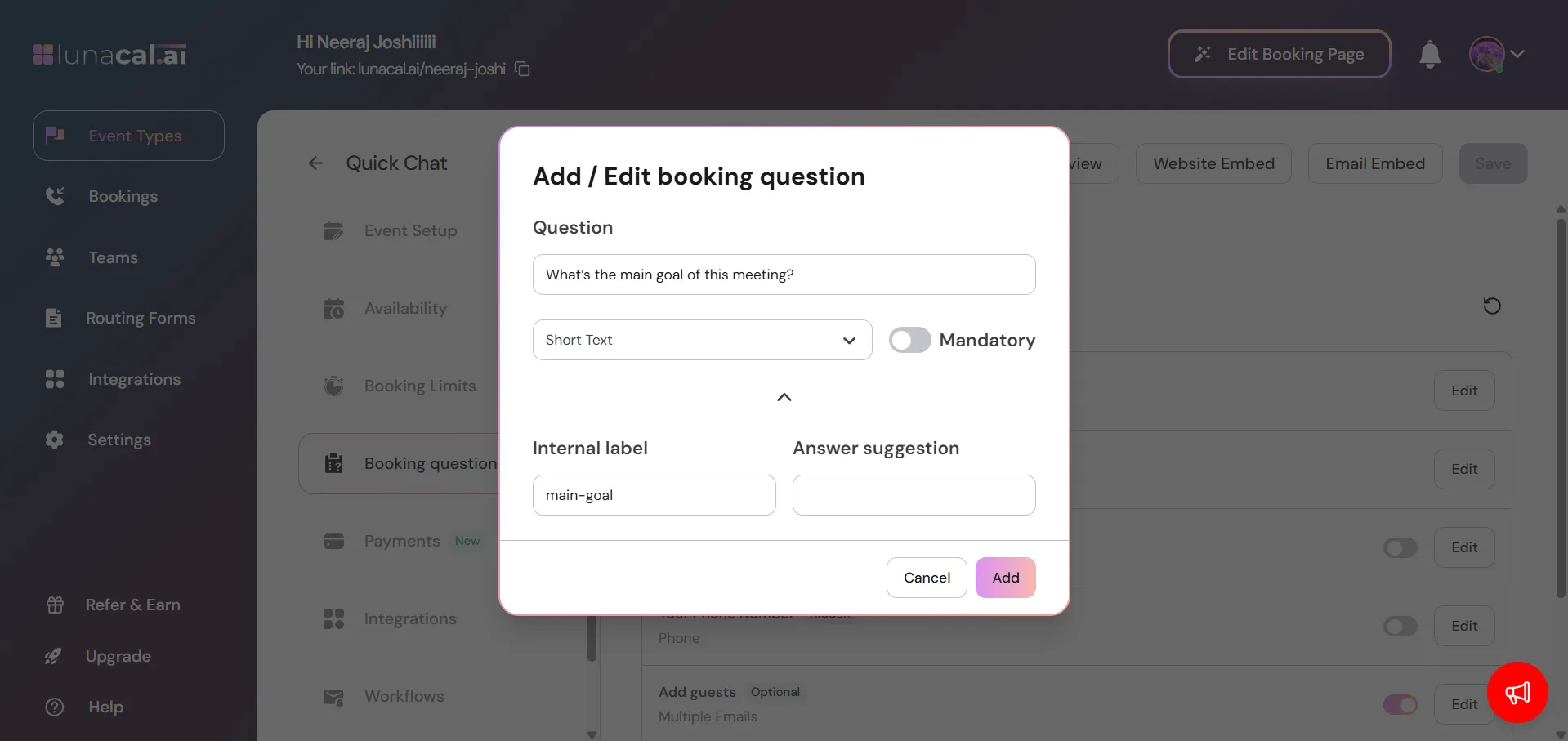
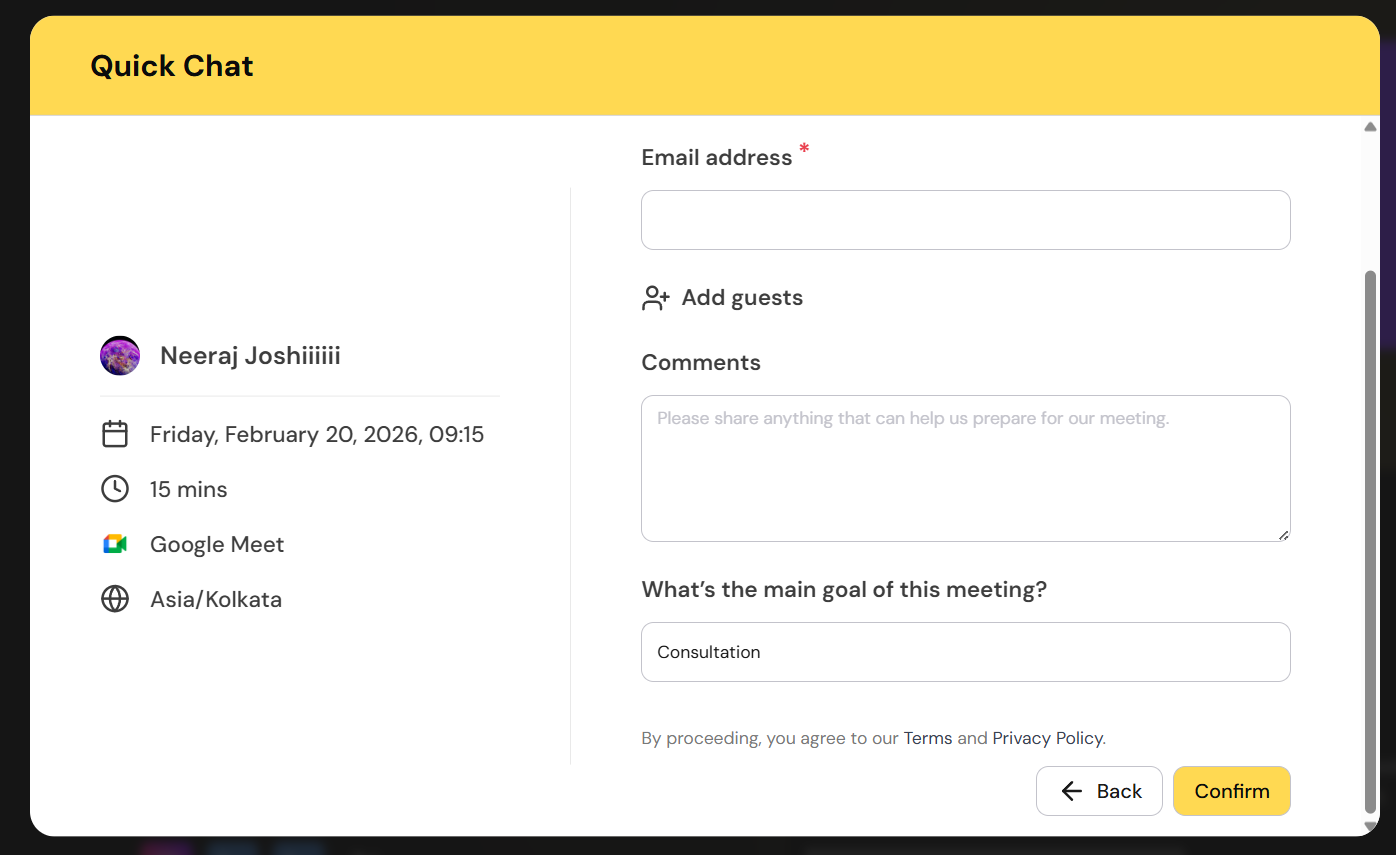
You can pre-fill all the booking questions on the booking form by using their corresponding internal label that you can see in the booking question tab. For example, for the question shown in the screenshot below, the question would show up as “What’s the main goal of this meeting?” and its internal label ismain-goal. So we would use main-goal as the query param name to prefill the field.
 🔗 Example URL
https://lunacal.ai/your-username/your-event?main-goal=Consultation
{yourFieldIdentifier}
Spaces must be URL-encoded (%20), and+in phone numbers must be URL-encoded as%2B.
5. Pre-filling Phone Number Fields
Phone numbers can be pre-filled in two different ways, depending on how the phone field is set up: 1. Phone as a booking question If you’ve added a Phone Number booking question, use theattendee-phone parameter:
attendee-phone=9999999999
location object instead. The country code’s + must be URL-encoded as %2B:
location={"value":"phone","optionValue":"%2B919999999999"}